Same as if it were a real T3 controller, check the forum for the modbus commands. Lijun will report back with a more detailed reply on Monday
Understood, I’ll keep an eye out, Maurice; thanks for your prompt response.
Hi Team Temco, I still i waiting your comments.
Fandu has said nearly all commands that apply to T3 controllers also apply to the T3000 /PC simulator. He mentioned only a handful of printer and alarm at type commands that are hardware specific which he hasnt implemented yet.
Please update your firmware and T3000 front end, then check the forum for tips on the modbus commands.
Thanks for your valuable feedback, Maurice. I am trying to read from a simulated device; when I access the registers using the Modbus Poll tool integrated into the T3000, I can see the simulated values correctly, but when I try to access the registers from the PRG1, it doesn’t work. Could you please take a look at the images? Perhaps I am doing something wrong.
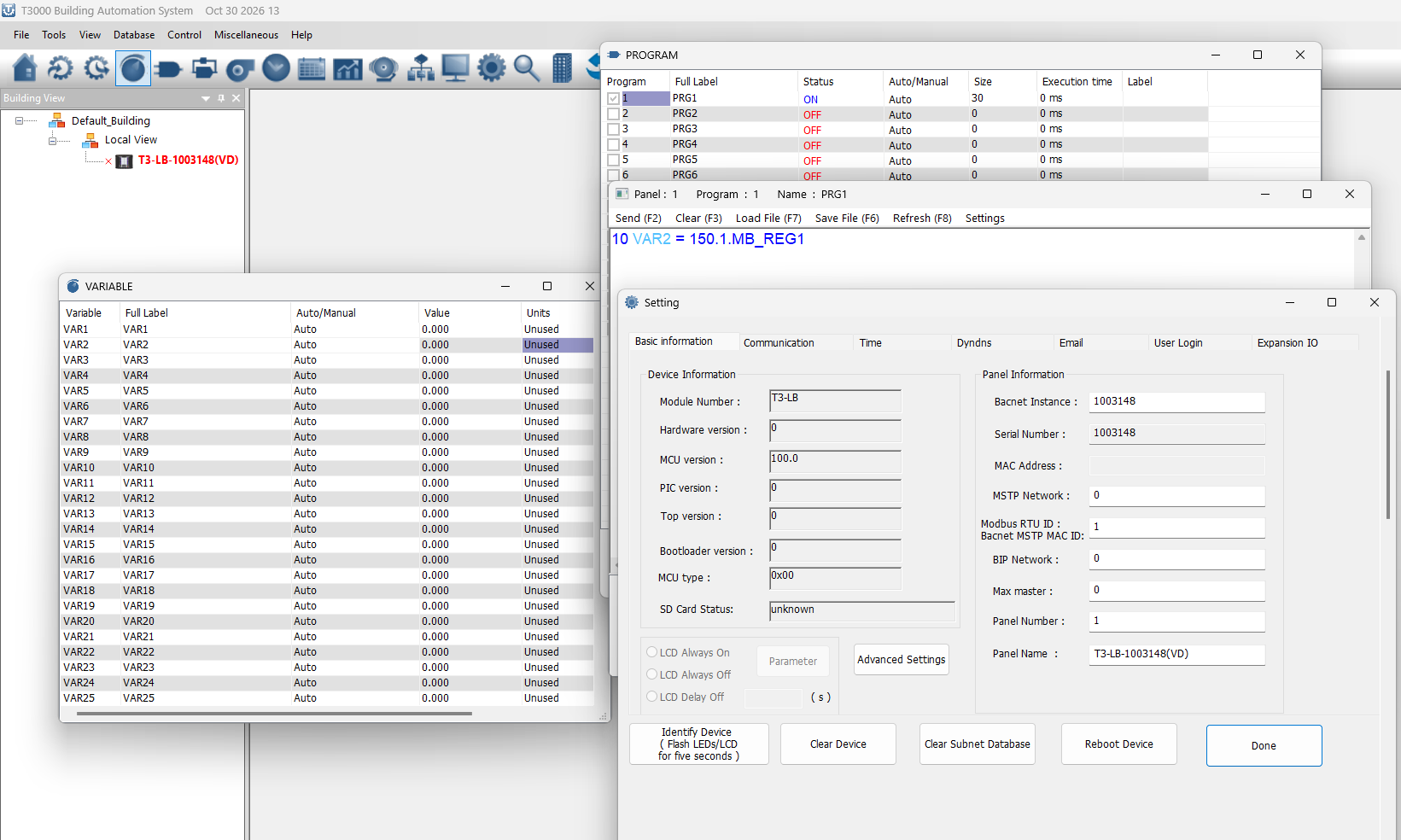
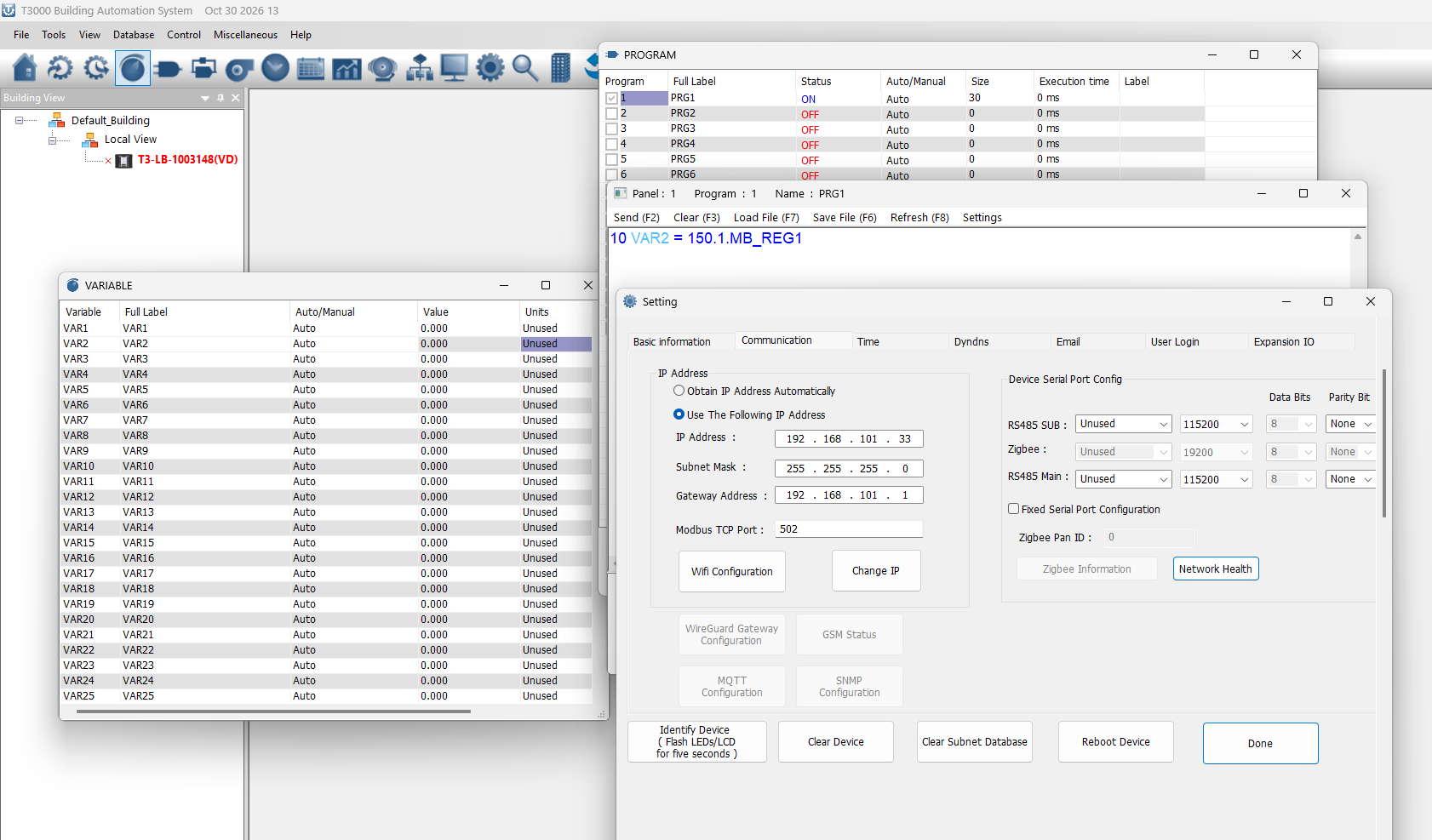
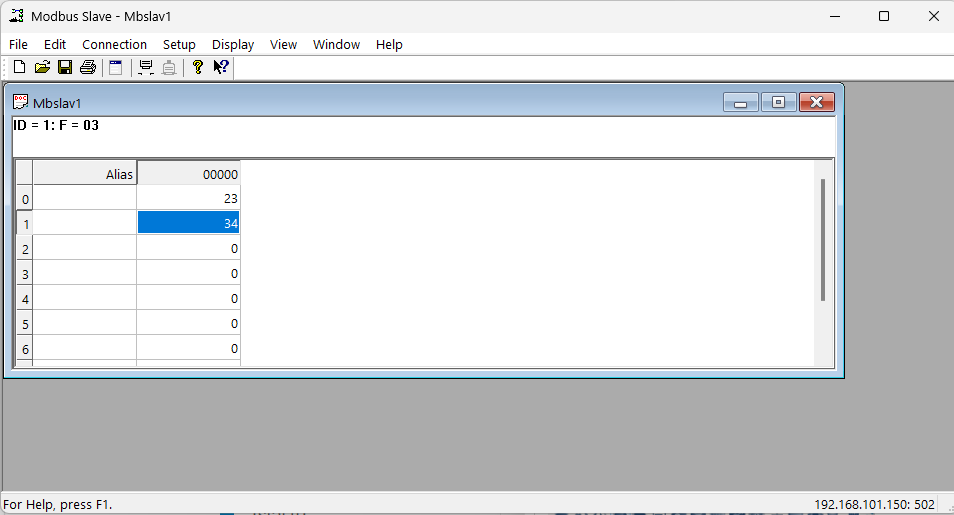
Any response, TEMCO team?
The Modbus Poll tool and the T3000’s PRG1 may use different communication mechanisms. So even if Modbus Poll can read the registers correctly, it doesn’t necessarily mean PRG1 can access them.
Our T3000 developer will look into this and check what’s causing the issue.
I wrote the program using a virtual device. 10 VAR1 = 144.1.MB_REG200 The IP address of the virtual device is 192.168.0.50. It reads the physical device at 192.168.0.144, Modbus ID = 1, register = 200. This function is now implemented, and we will release it in the upcoming version within the next few days.
Excellent, Mr. Fandu. I am very grateful to you and Maurice for the time and effort put into making this possible. Now it is up to me to work on the rest of the project; I intend to present the T3000 units as an ideal solution for rooftop applications and integration. Should any questions arise, I will certainly let you know.
I’ll wait for the next version.
I would like you to explain a bit about how you set up your configurations.
The IP address of the virtual device is the same as that of the PC.
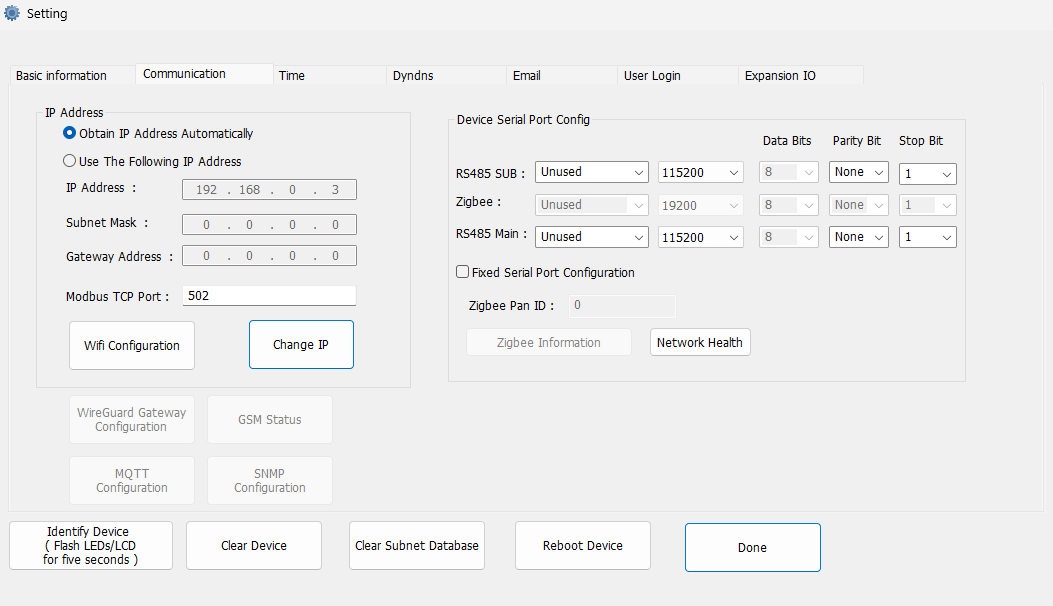
How do you link a physical device on the network to the virtual simulator?
I have been monitoring the traffic on my network, but I don’t see any activity on port 502 or related to any Modbus protocol.

Lijun will report back on Monday, local holliday today.
------Original Email------
Alright, Maurice; I’ll keep an eye out.
Thanks for the screenshots.
Fandu will have to have a look at this for you.
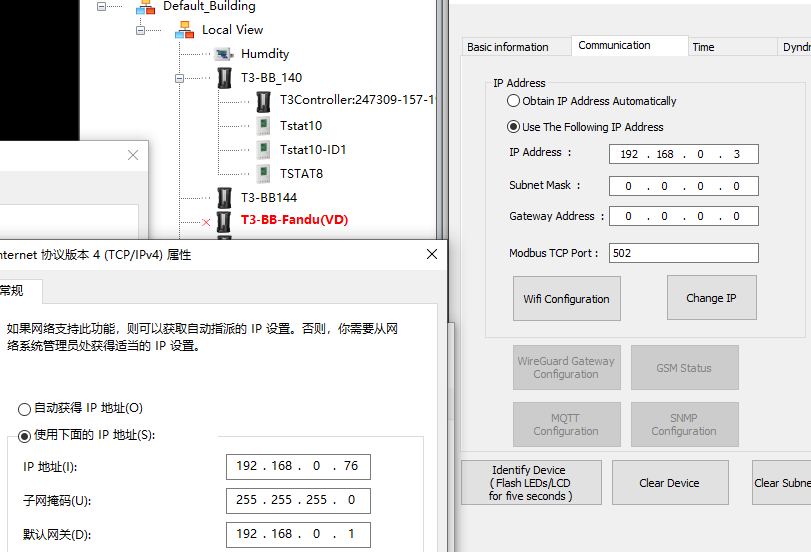
For example: Your PC IP address is 192.168.0.76. Set the IP address of your virtual device to the same subnet, such as 192.168.0.3. There is also a physical device on this network, with an IP address of 192.168.0.144.
Then you can use the statement: 10 VAR1 = 144.1.MB_REG200 When the virtual device runs, it will connect to port 502 of 192.168.0.144, read the value of register 200 with Modbus ID 1 at this IP, and store it in VAR1.
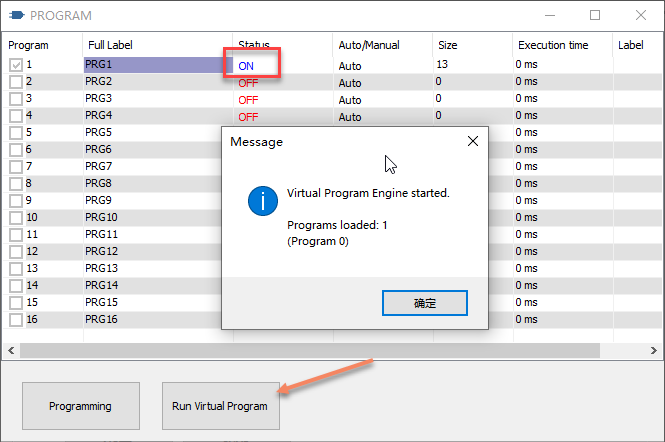
You need to make sure the virtual program is running.
I am trying out the new software interface and got my Claude connected after an hour or two…
I am trying to read a Tstat10 I have to program it and can’t figure out how to connect. I went to the connect tab and enter the port shown in the other interface and get now devices. What am I doing Wrong?
I am very encouraged to see you working with Claude and our products. I would first tell it to read our repos, all our source for the front end, as well as the devices themselves is there. Once you have them linked up you will be able to modify our system, control any project, be master of your universe.