I noticed in a post in November 2023 comments about a T3 Simulator being available - with the limitation that any “real-world” I/O is not simulated.
Where do I find this simulator? I had expected to see it under “Tools” menu.
Just right click and go ‘add virtual device’. You can work on it and save the programming and so on but the actual logic is not running.
OK. The virtual device was inserted into the tree just after the “real” device - which is now at a different physical location.
I presume I can load into the virtual device my existing project (xx.prog file) to get all my predefined I/O/V and programs etc. Also, I expect I can save a new xx.prog file to “load” into the actual controller
If the programs do not run, this functionality seems more like a syntax checker - still useful, just not the same as a simulator.
To do simple “real-world” testing the minimum I seem to need is a T3-TB - correct?
We’ll add real live simulator soon. Our todo list is long but we’ll get there.
Hi, do you know if it’s possible to simulate inputs and outputs yet to run my program and test my control logic? I’ve already added a virtual device, but I don’t know how to run the simulation.
Yes, we have now added the abilitry to run logic and fully simulate a live T3 controller on the PC running T3000. To simulate temperatures you can set the inputs to manual mode and edit the values manually.
Thank you very much for your prompt reply. Could you tell me how to run my simulation? I can’t find a “Run” button—how do I do it?
Load a prog file or create some logic in one of the programs as if you were on a live T3 controller. The default is ‘programs are in auto and will run’. You can turn off any particular program if you want, same as with a live T3 controller.
Maurice Thanks a lot for you support, I would greatly appreciate it if there were a user manual for the simulator; I actually plan to implement T3-LB units in air conditioning projects and need to familiarize myself with the T3000 environment.
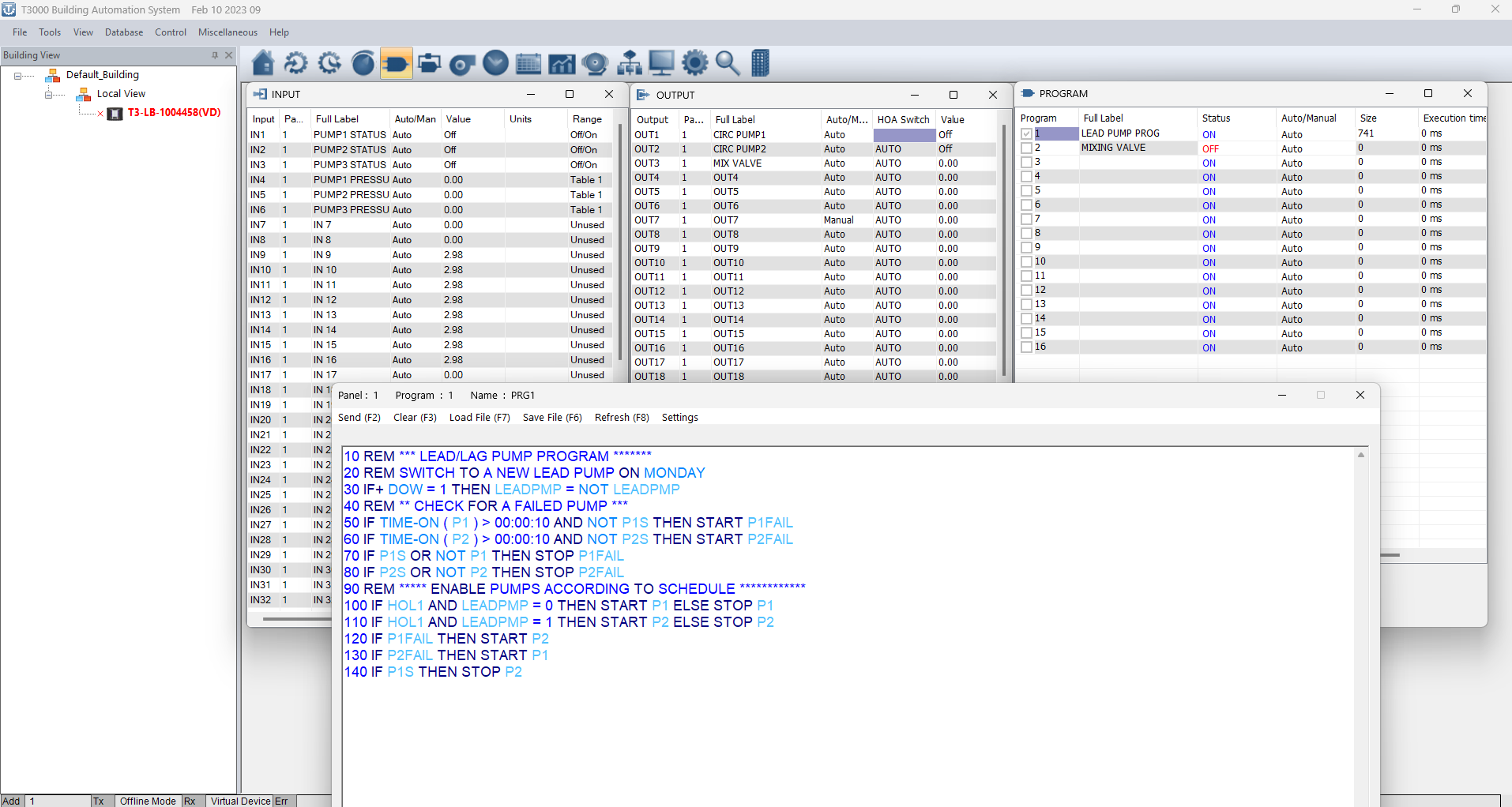
Here is a screenshot of an example I found; I’m not sure if the program is currently running, and I don’t know how to check the values the variables are taking or their current states.
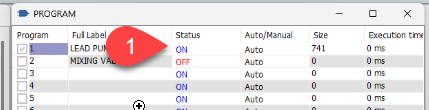
Program 1 is running
Program 2 is off.
To see vars changing, create a trend log and watch there.
We’ll update the user manuals asap.
From your screenshot, I notice you are using a T3000 software version that is several years old. You need to update T3000 to the latest release to get this feature.
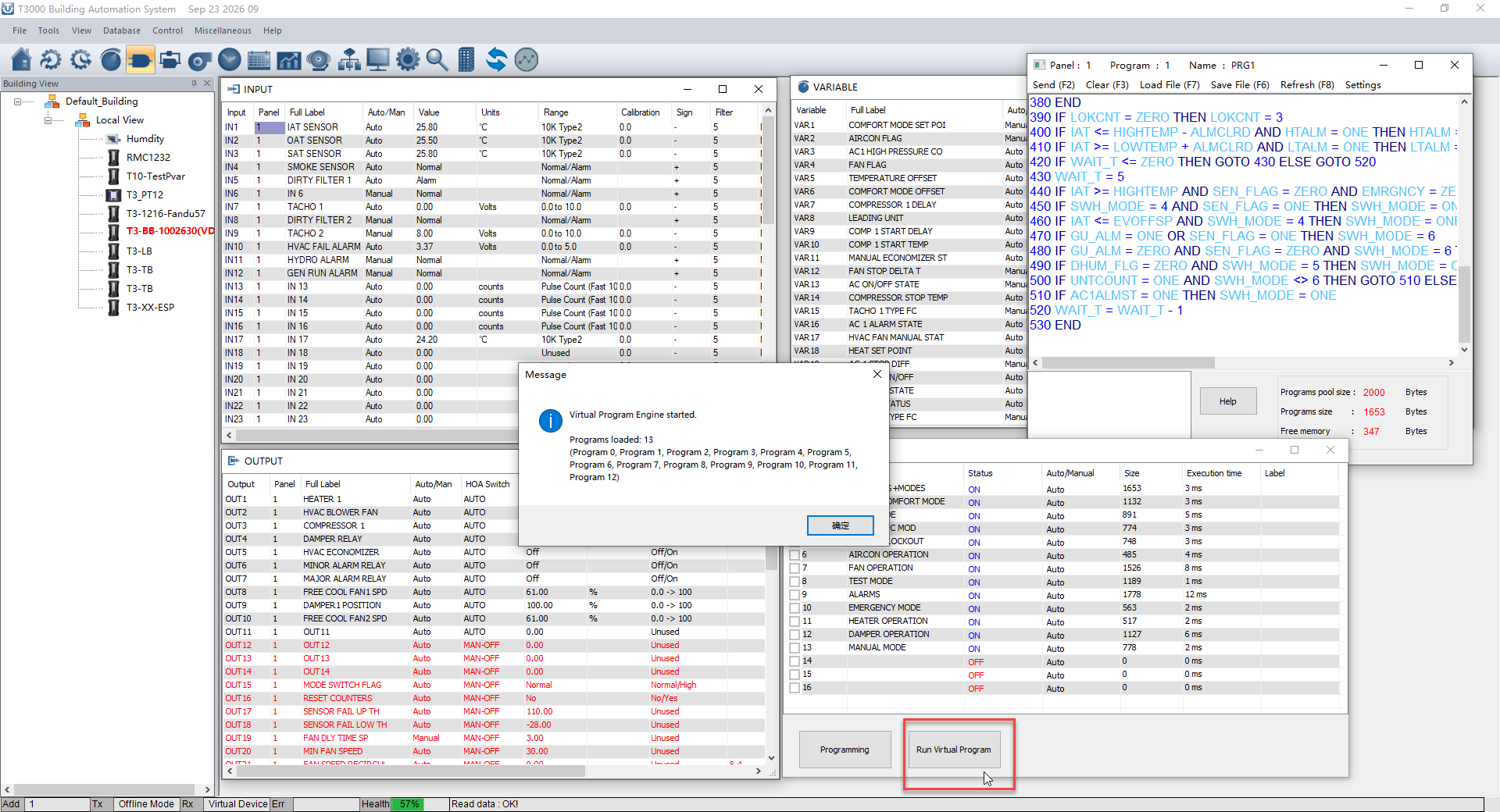
After you create a new virtual device and finish programming, click “Run Virtual Program”. All programs with status set to On will start running.
We should make it just like a normal T3 controller, we just hit send and the program is running. Programs can be turned on or off just like a normal T3 controller. Show a placeholder value for the execution time, as you mentioned programs on the PC run one time per second so show 1000ms for the execution speed.
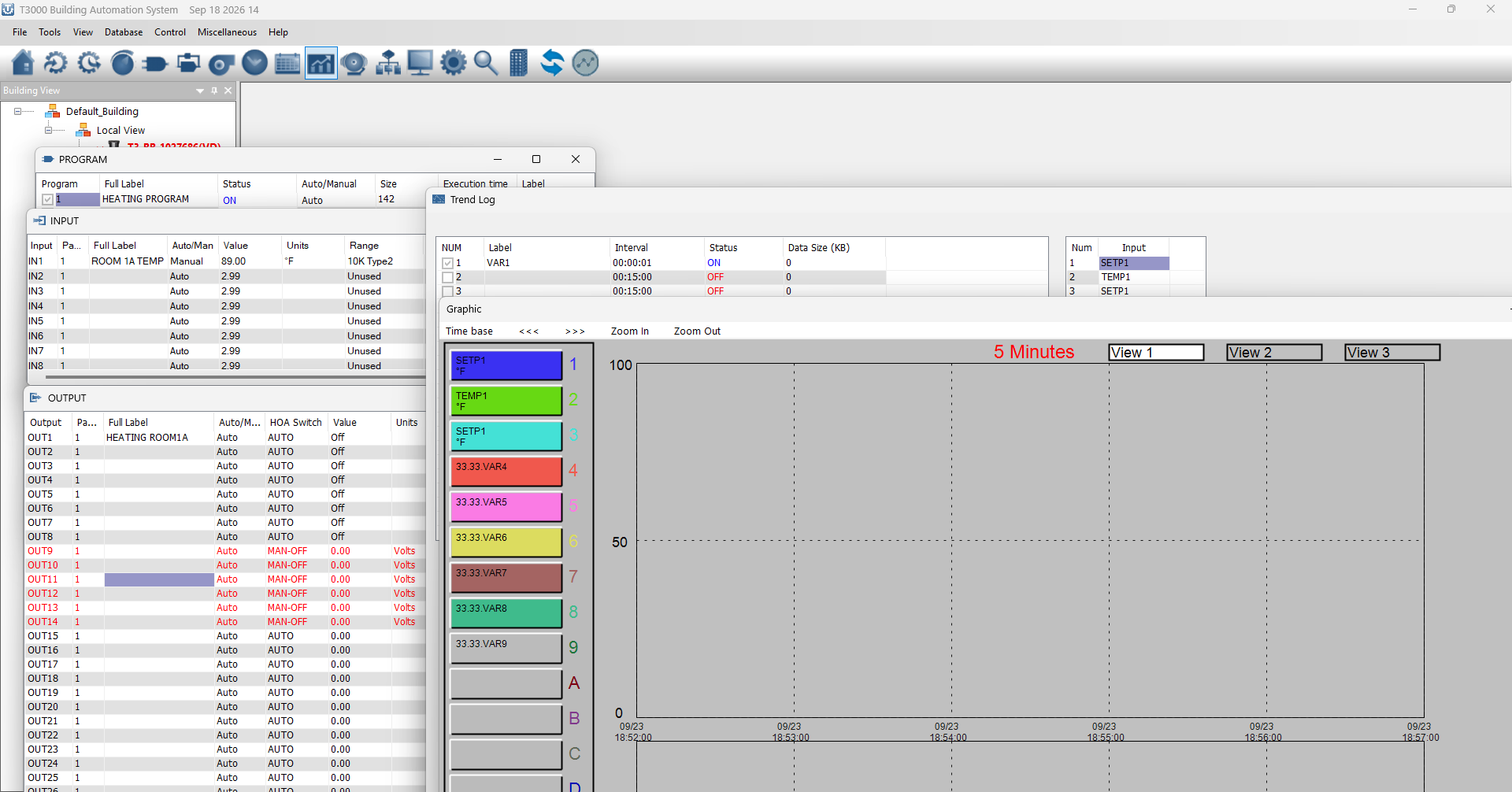
You are absolutely right; I simply selected the “Check for updates” option, and the software updated automatically. I had been using the version from the website—I think they really ought to update the software there. Additionally, I tried loading the example again, but the updated program kept closing unexpectedly—it was as if it had entered a loop where it would try to load the example, crash, and lock me out of doing anything. I had to restart my Windows 11 PC and reinstall everything from scratch. I’m not sure what I did wrong, but TEMCO should look into this; if this happens on-site or during board installation, it undermines confidence in both the device and the software. I certainly wouldn’t want to be emailing support or hunting for a solution at 3 a.m. After the reinstallation, it works perfectly, and I can run an example without issues. However, I am trying to plot the value of an analog input and a variable declared in the “program” section on a graph, but nothing is showing up. I can’t figure out what I’m doing wrong. I’ve attached a screenshot so you can see the situation. Thanks in advance for all the help and support. attach
I also want to know if I can add two virtual devices, implement independent logic, and transfer data between them via simulated Modbus—meaning that, within the simulation, Device 1 sends data to Device 2 via Modbus.
One device per T3000 so the easy solution is to set up another PC in your lan. The other solution would be to run another T3000 in a virtual box on your main PC.
Do you have an answer to my post about the graphics box?
I guess you mean the trend logs, if its not storing anything then it may not be implemented yet. I will ask the team to work on it asap.
Run a small program VAR1 = VAR1 + 1, you shuold be able to see it increasing in the vars table.
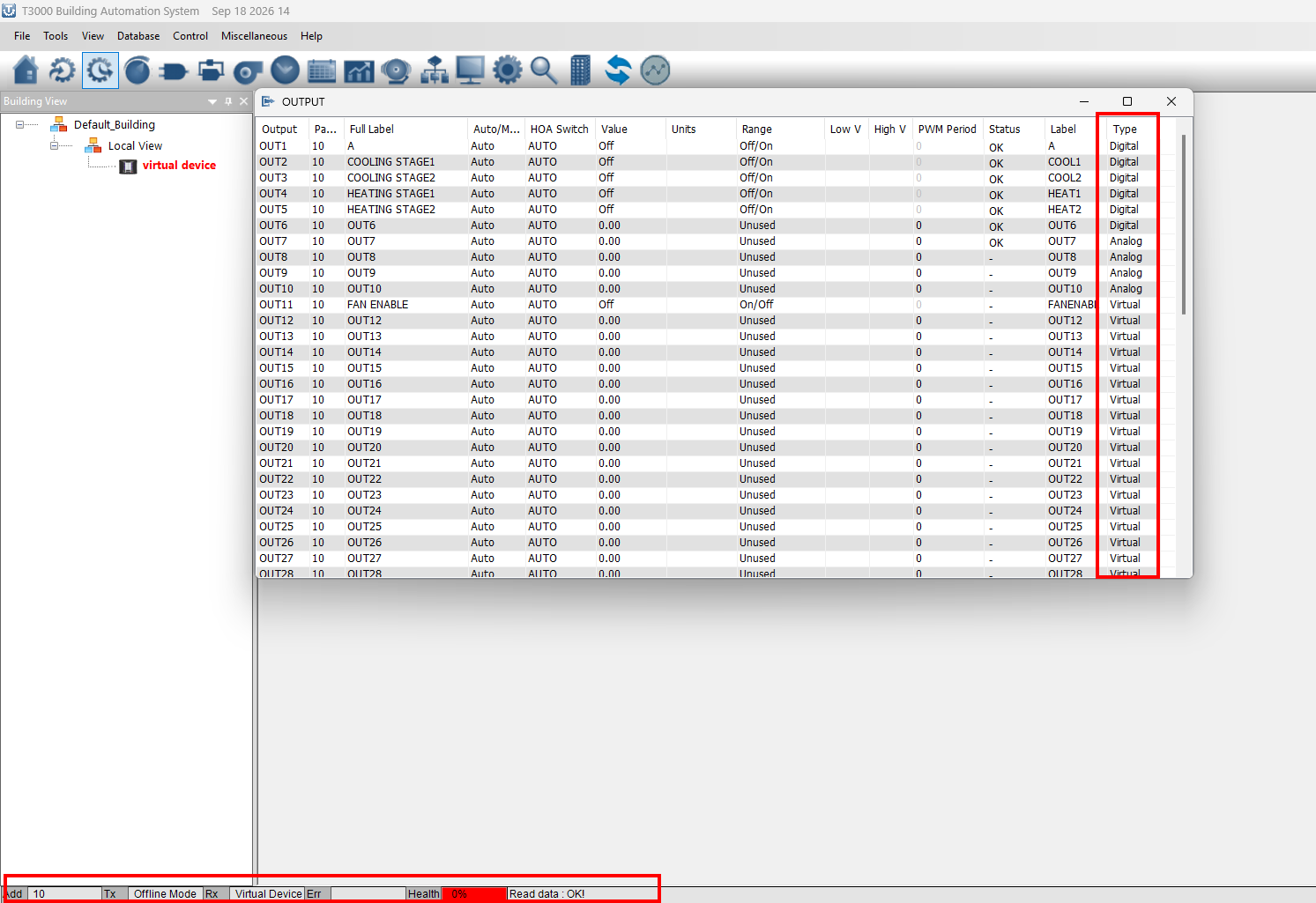
You’re right; I ran the program and indeed saw the value increasing in the variable table, I am simulating a sample project; here is a brief excerpt.
10 REM ********** ENABLE FAN ACCORDING TO SCHEDULE *********
20 IF OCCUPIED THEN START A ELSE STOP A
30 IF NOT OCCUPIED AND HEAT1 THEN START A
40 IF NOT OCCUPIED AND COOL1 THEN START A
50 IF FANMODE = 1 THEN START FANENABL
The idea is that if I set it to manual, I should be able to edit the output to simulate the variable’s state, but nothing actually happens in the simulation; I don’t know what I’m doing wrong.