I opened up my graphics and many of the elements are missing. They show on the counts on the graphics list put many of them are missing from the graphics. I have the latest T3000 and running a T3-BB running 62.7. I know it is not the most up to date firmware but I have had many struggles to find the firmware that makes my panel and devices work well. Any other suggestions? I have tried even building a new graphic. I can easily get a background image in there but none of my elements show up even as the count rises.
Chenbin will check it and report back here soon. Please post a few screen shots showing your versions of T3000 and firmware. Also the graphics screens and what you see there.
Hi, good day.
Please try pressing Ctrl + Mouse Wheel to zoom in/out on the graphic to see if you are able to view it. I suspect the zoom level may be causing this problem.
Could you also take some screenshots for us? We will investigate the issue on our end.
If possible, please share remote access — I can help check it directly for you.
Chenbin, we could you a zoom-all button. Mark it as a todo.
Okay, noted. I will mark this as a to‑do.
Thank you for checking in to this. I should have a chance in the next few days to try the suggestions.
I also just bought another T3-BB. I just got it last week. When I powered it up for the first time, I heard a pop and then the fuse light came on. Nothing besides the power was wired in. I used a 24VDC UPS. The power supply is providing 23.99VDC. Everything else runs fine on it. It is the same setup I am using for the other T3-BB. I tried to send a message through the contact link but it kept erroring. And this is not something I want to put up on the forums. How do I go about getting this replaced? It is time sensitive.
Sorry to hear about the trouble with your new T3-BB. The pop and fuse out point to either an overvoltage situation or something got knocked around during shipping.
One thing we’d like to rule out: some 24VAC transformers have a high voltage when unloaded. Could you measure the voltage at the transformer in the unloaded state, if you see more than 36VAC that could explain the behviour.
Moving forward, contact the team at info@temcocontrols.com and we’ll coordinate the return for repair.
I did test it open circuit before I plugged it in. The power output is rock solid open circuit and loaded. It is a habit I learned long ago. I don’t trust anything.
The big question is what was the voltage from this transformer when unloaded.
23.99vdc. It is a digital power supply. It is also running my thermostat circuit.
Yeah, no problem with that. We will have to organize a swap with you. Do send the email and our team will coordinate.
Update: Meant to send this to the Temco Team: Post a short update with us connecting, 30V, 35V, 40V DC with photos.
What email can I send it to? The contact form on the website would not let me send. The security check kept saying error even though it was showing completed.
Here is a snip of my graphics menu. It shows the elements in each one.
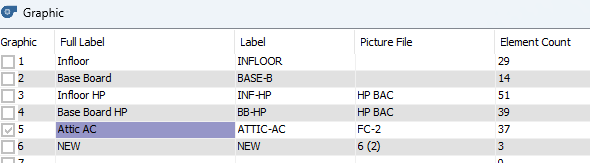
What is this window about?
Here is my Attic A/C Graphic.
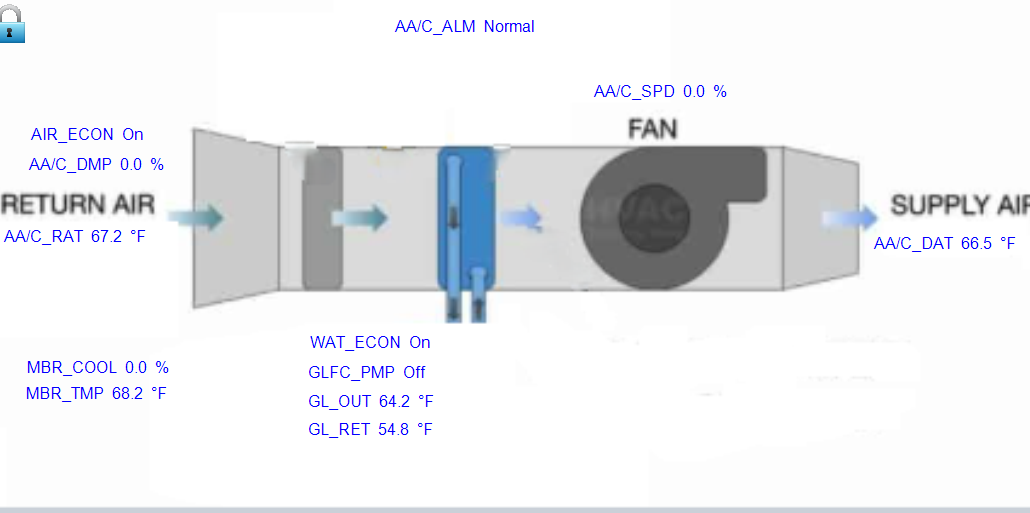
Ctrl + Mouse Wheel down not do anything. If I double click the graphic goes full screen. It is all the same in Classic Graphic or Web. I can add an element and it shows on the count, but I still cannot see it.
ChenBin will be checking in shortly regarding the graphics.
For the RMA: info@temcocontrols.com will work
Are you currently using the “Show Graphic Classical View” or “Show Webview Graphic”? If you click “Show Webview Graphic,” it should pop up a window like the picture below. Are you able to see this window?
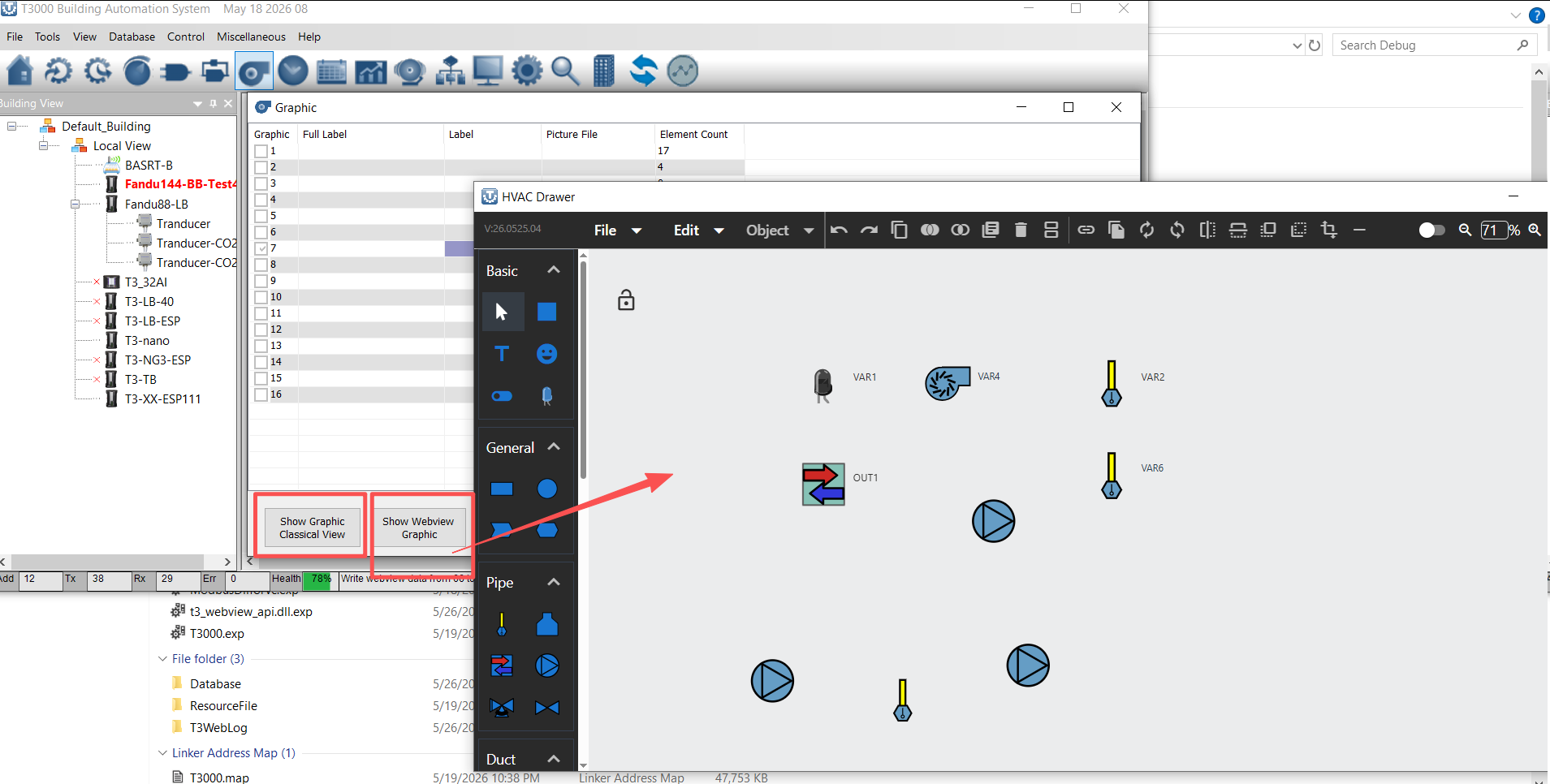
Would it be possible to share remote access with me at info@temcocontrols.com so that I can directly check it for you?
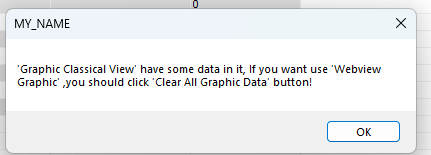
I do not see any window like that. Both Show Classic and Show Web look the same. Every time I open a graphic it shows me this window.
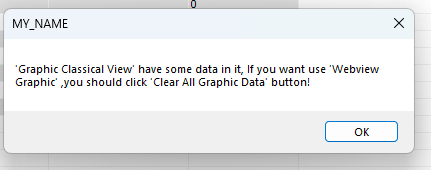
Then it is the same graphic view. It is nothing like what you show here.
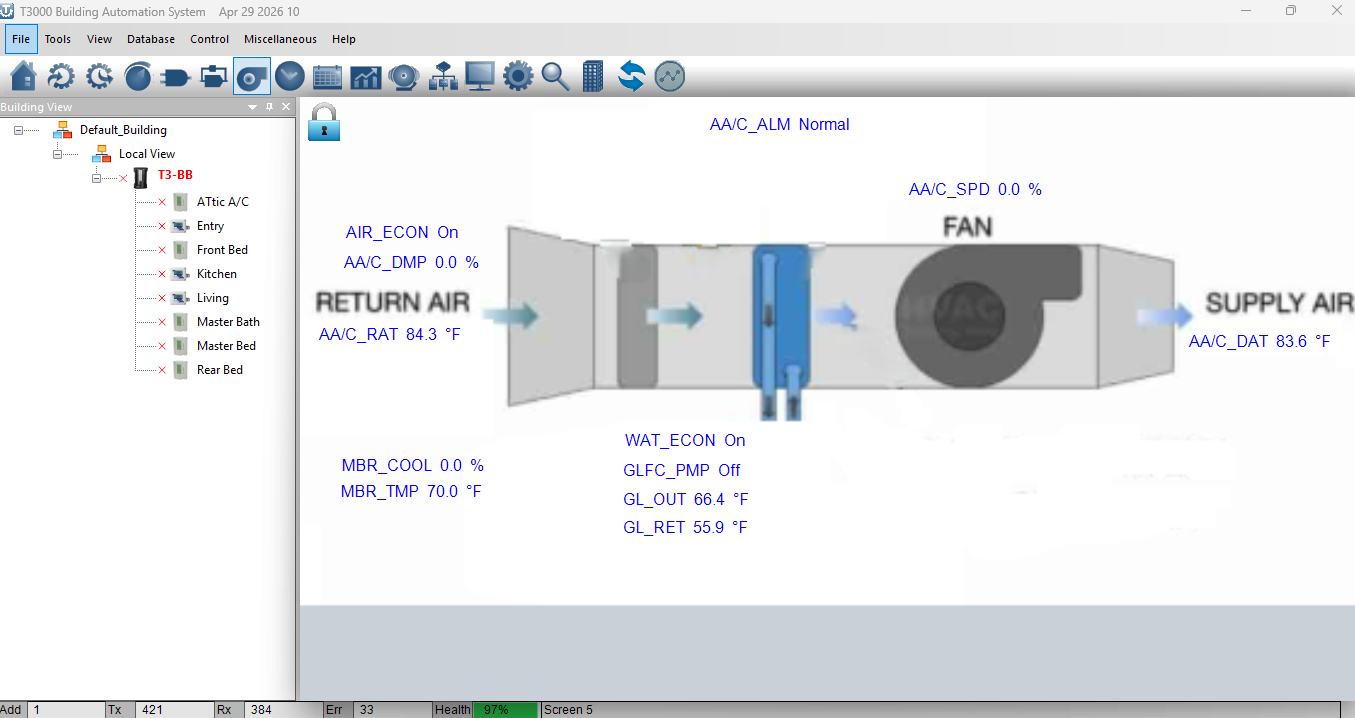
Is the graphic part of the PC software or is it in the panel firmware. I am running an older firmware. 62.7. That is the one revision I was able to get my panel and thermostats to talk to each other reliably. I have been hesitant to change things one I got them working. It was a frustrating process.
Are you able to share the remote access? I want to do the checking for this.
Not at this time. Maybe tomorrow at 1800 Pacific Standard Time if you are available then.
Ok, can. You can ping me tomorrow — I will be on standby