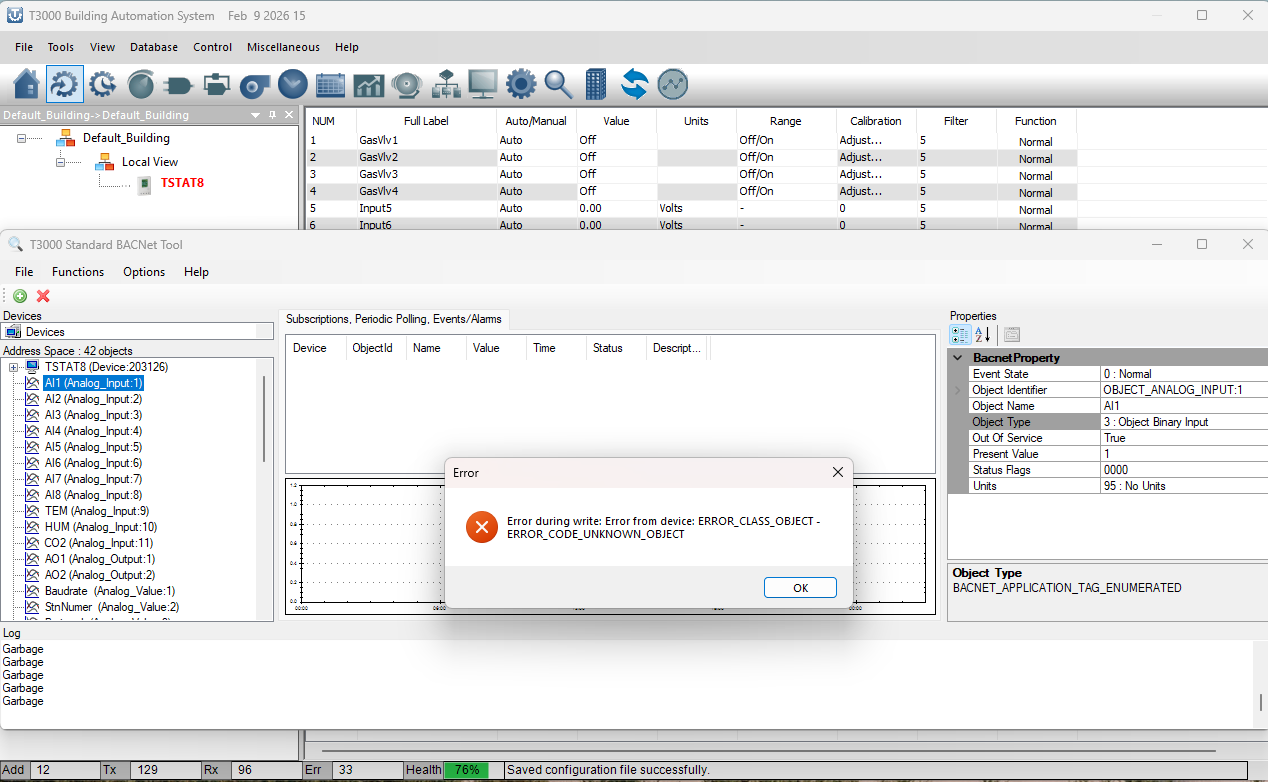
I am having a problem in changing an input of the Tstat8 from analog to binary. I am using the T3000 with the latest software updates and also updated the firmware in the Tstat8. When I select i.e. AI1 and in the “Bacnet Property” select Object type (which gives several selections), I want to change from 0:Object Analog Input to 3:Object Binary Input. When I do, I get an error: Error during write: Error from device: ERROR_CODE_UNKNOWN_OBJECT. Any thoughts in what I am doing wrong? Thank you.
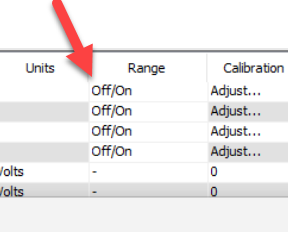
Use the T3000 application to change the ranges, assign names and so on. Once the initial setup is done you can edit the value from Yabe.
Also note: When you change anything using the T3000 tool you will need for Yabe to do a full refresh of all the bacnet objects on the Tstat8. Yabe doesn’t keep track of changes in the objects dynamically like T3000 does.
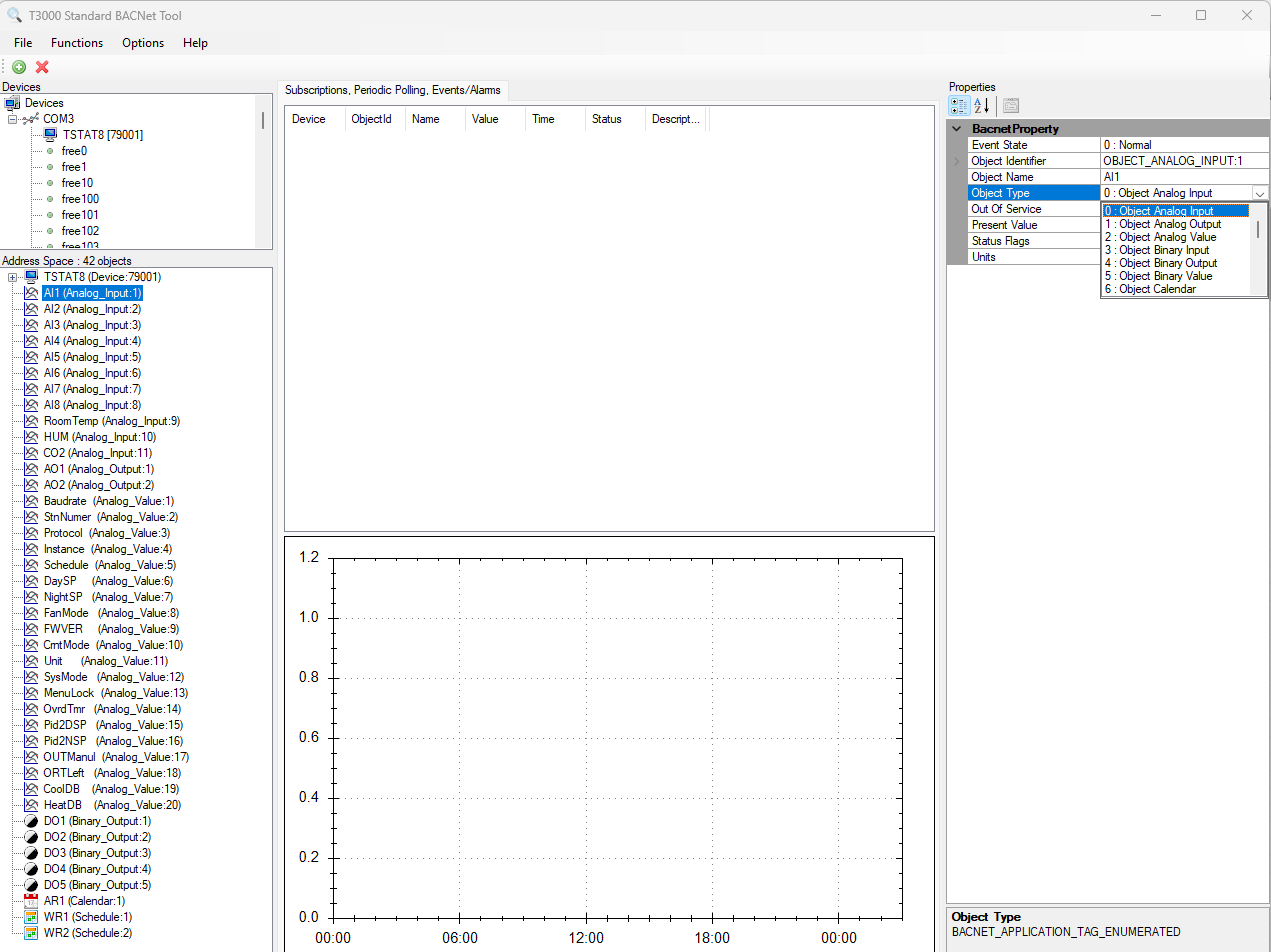
Thank you for your quick response! Neither T3000 or YABE allow me to change AI1 from analog to binary. Is there some other place to change it other than the “property” window for that input? It is strange to me that it will not allow me to change it to any of the 6 options, they all say: …code_unknown_object. Is there something I need to change first before picking the “object type”?
Thank you..
Show us a screenshot of what you’re seeing please.
The help file is available when you hit the f1 function key. From there you can check the section on configuring inputs.
Make sure you’re actually online, check the communications health at the bottom status line.
I could not find any information in the help files referring to universal inputs as I believe they are in Tstat8 even though they are labeled AI1-AI8 on the terminal block.
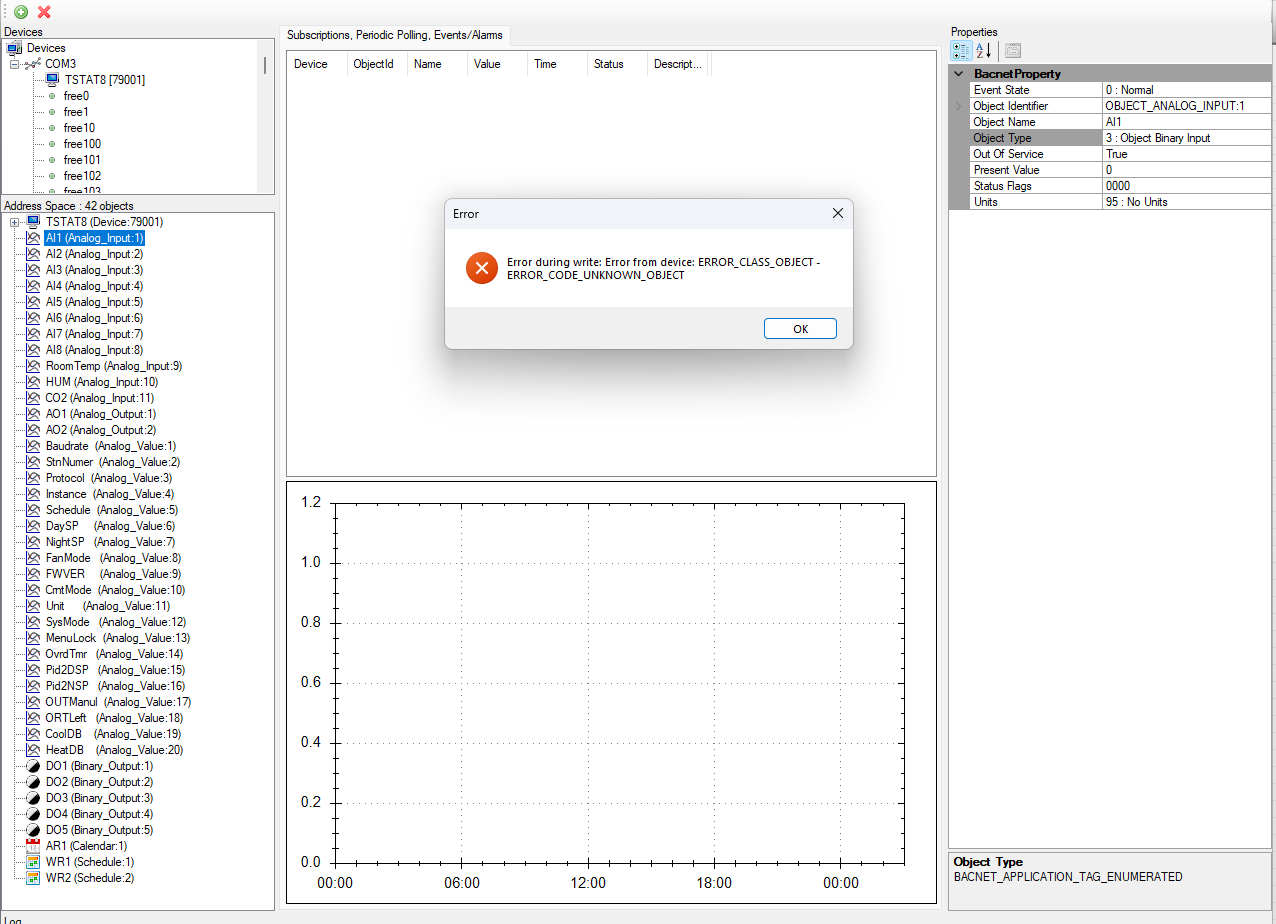
I don’t believe my problem is configuring the inputs of Tstat8 but changing the selection from analog inputs to binary in the Bacnet Tool. This screen shot is much like the first, not sure what else to try.
It is when I hit “enter” after making the selection 3 in the dropdown box that I get the error (as you see in the screen shot).
Thanks.