I’m using a T3-Nano as a Modbus RTU-to-TCP gateway , but I’m experiencing serious instability:
Communication from Node-RED (via Modbus TCP nodes) is intermittent and unreliable — sometimes data appears, sometimes the node just shows “reconnecting.”
I also tested with ModScan32 , and while it connects briefly, it drops the connection after just 1–2 seconds .
I’ve verified wiring, baud rate, parity, slave ID, and network settings — all seem correct.
I’ve already updated the device firmware to the latest version available, but the issue persists.
At this point, I suspect the hardware or its TCP stack may not be robust enough for continuous operation.
My questions:
Has anyone managed to get the T3-Nano working stably as a Modbus gateway?
If so, did you use a particular software, driver, or configuration that made it reliable?
If not, could you recommend a more dependable (but still cost-effective) RTU-to-TCP gateway?
Thanks in advance for any advice or shared experience!
Best regards from Chile.
The T3-Nano is used as a Modbus RTU to TCP gateway with many of our clients.
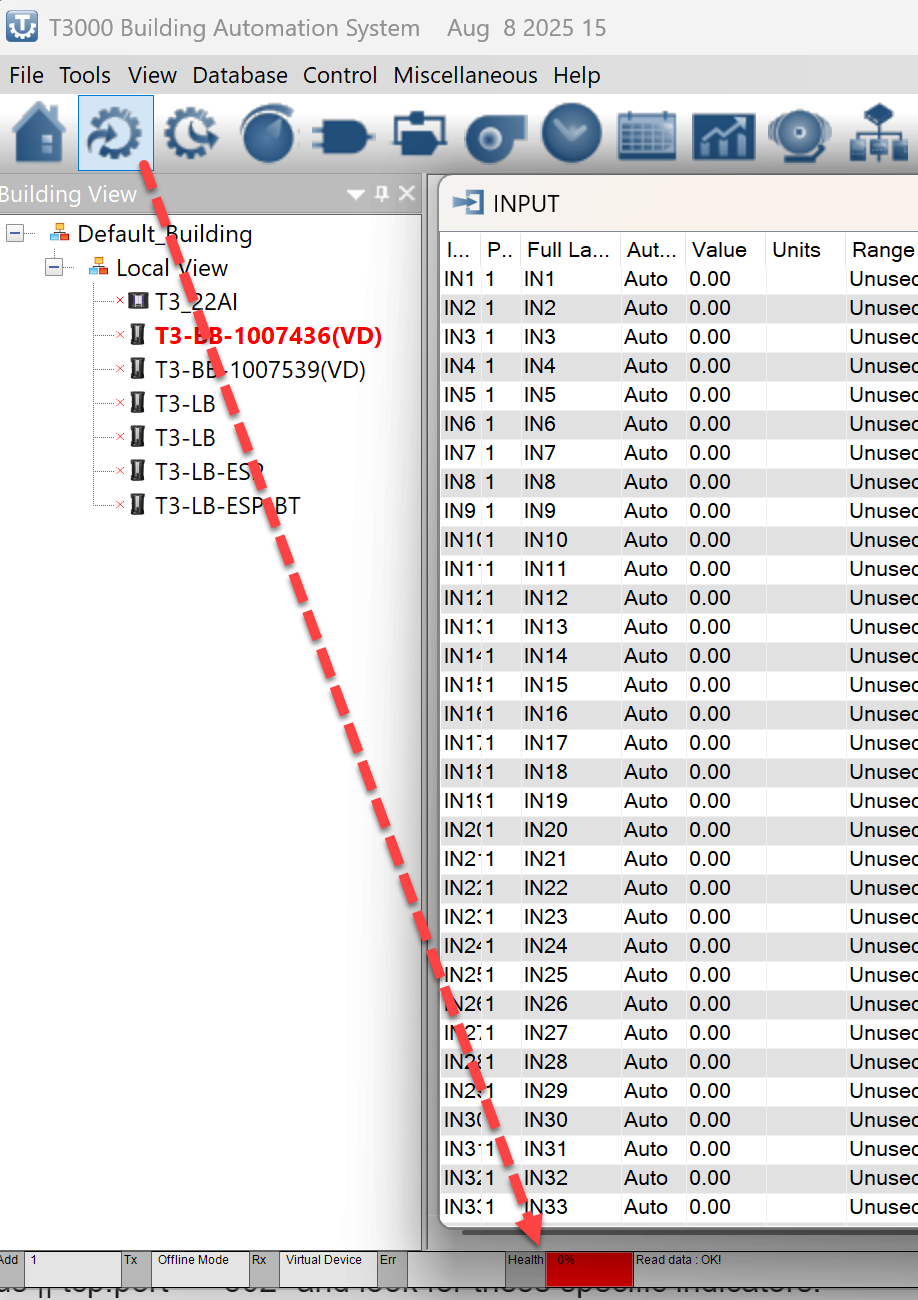
Could you show us a view of the T3000 communications health to get started, its on the bottom of the display at the lower left. If it shows solid communications you can rule out the cabling or hardware issues.
Since you’ve updated the firmware you can check the settings on your master, increase ‘Timeout’ on your Master: Set your Modbus TCP master (PLC/SCADA) timeout to at least 1000ms–2000ms. If the master gives up before the Nano finishes the RS485 transaction, it can lead to hung sockets.
Increase ‘Inter-frame Delay’: If your polling tool allows it, add a delay of 50–100ms between requests.
Check the LEDs: When it goes unstable, what are the TX/RX LEDs doing? If the Sub RS485 RX LED is solid or flickering wildly without a master request, you likely have electrical noise on the line."
If you’re still having problems then Wireshark is your best next step. Use the filter modbus || tcp.port == 502 and look for these specific indicators:
Check for Multiple Masters: See if more than one Source IP is hitting the Nano on Port 502. Even having the T3000 software open in the background can count as a second master and cause ‘instability.’
Look for Exception Code 06: If you see ‘Server Device Busy’ in the Modbus responses, it means your polling rate is faster than the RS485 bus can handle. Try increasing your poll interval to 1000ms.
Monitor TCP Retransmissions: If you see a lot of black/red lines (Retransmissions), the Nano’s TCP stack is struggling to keep up. This usually happens if the Master doesn’t close sockets properly or if there’s a port conflict.
Send us a wireshark capture by emial, info (at) temcocontrols (dot) com will work, we will have a look through it.