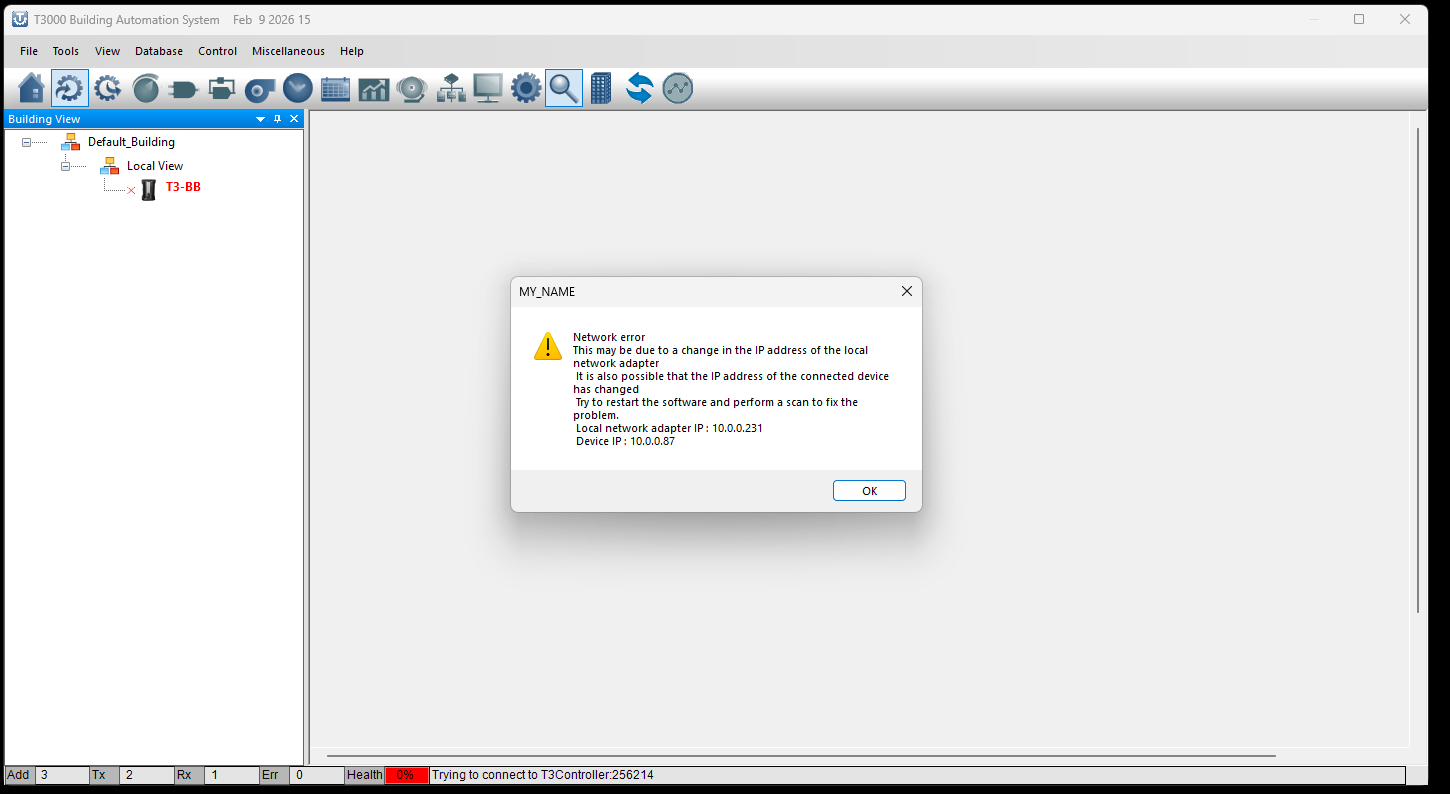
I just recently received my T3-BB and I initially started by plugging in to my managed network switch. It detected and said Ip needed changed to current network. It would timeout trying to change the Ip to a static on my network and had no communication to the device. So I then connected directly to the device setting my Ip in the address range of the device and set a static ip and subnet in my network then flashed the newest firmware through T3000 and ISP tool.
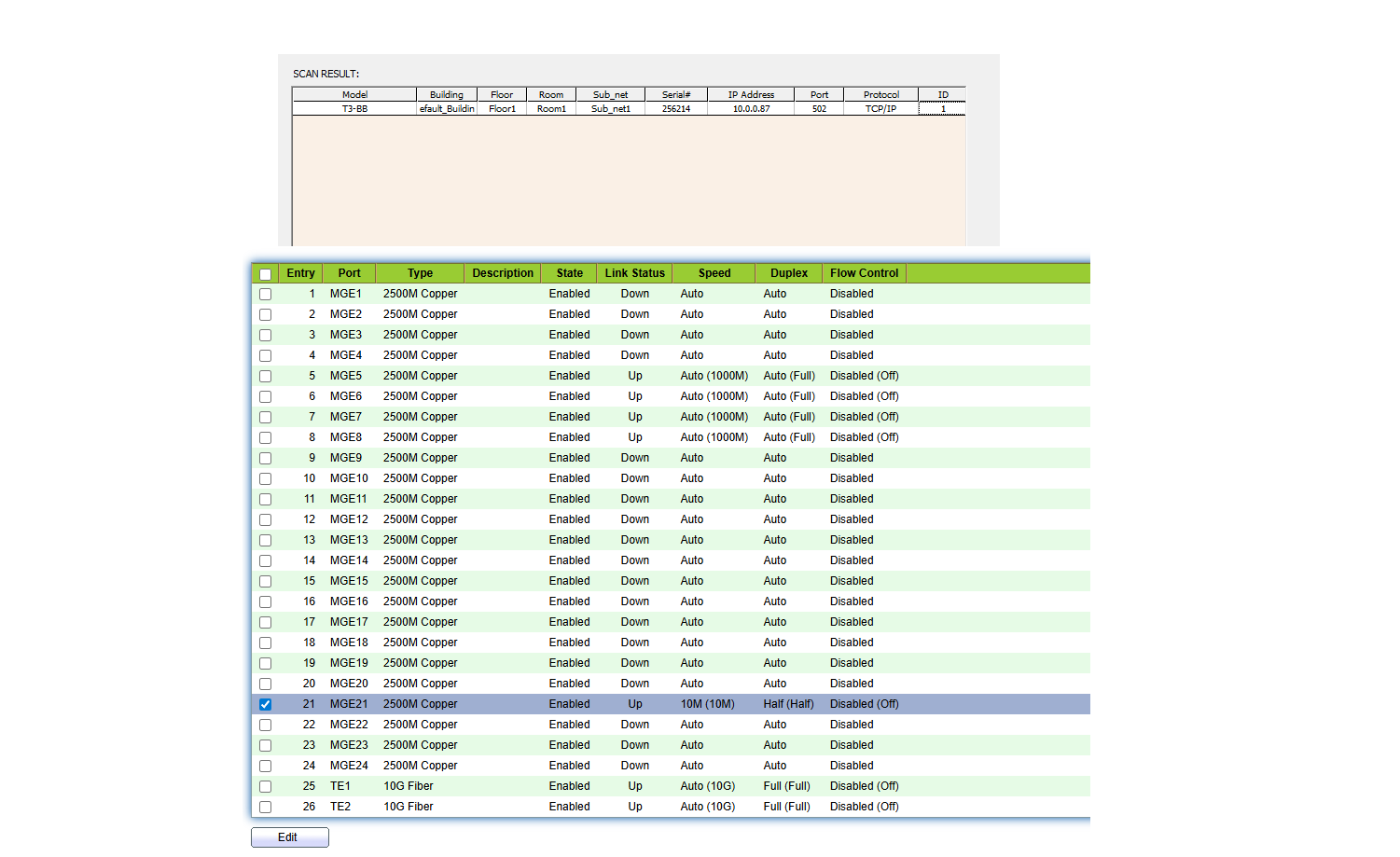
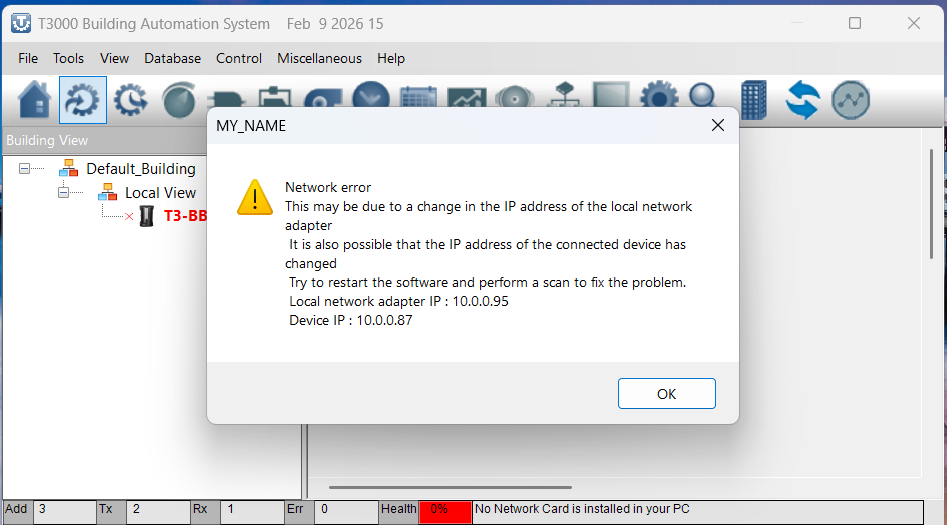
When plug into my network switch it auto negotiates at 10M and Half Duplex so I forced that just to be sure. I can ping the device through cmd or T3000 ping with no packet loss however I cannot connect to the device as it still shows this.
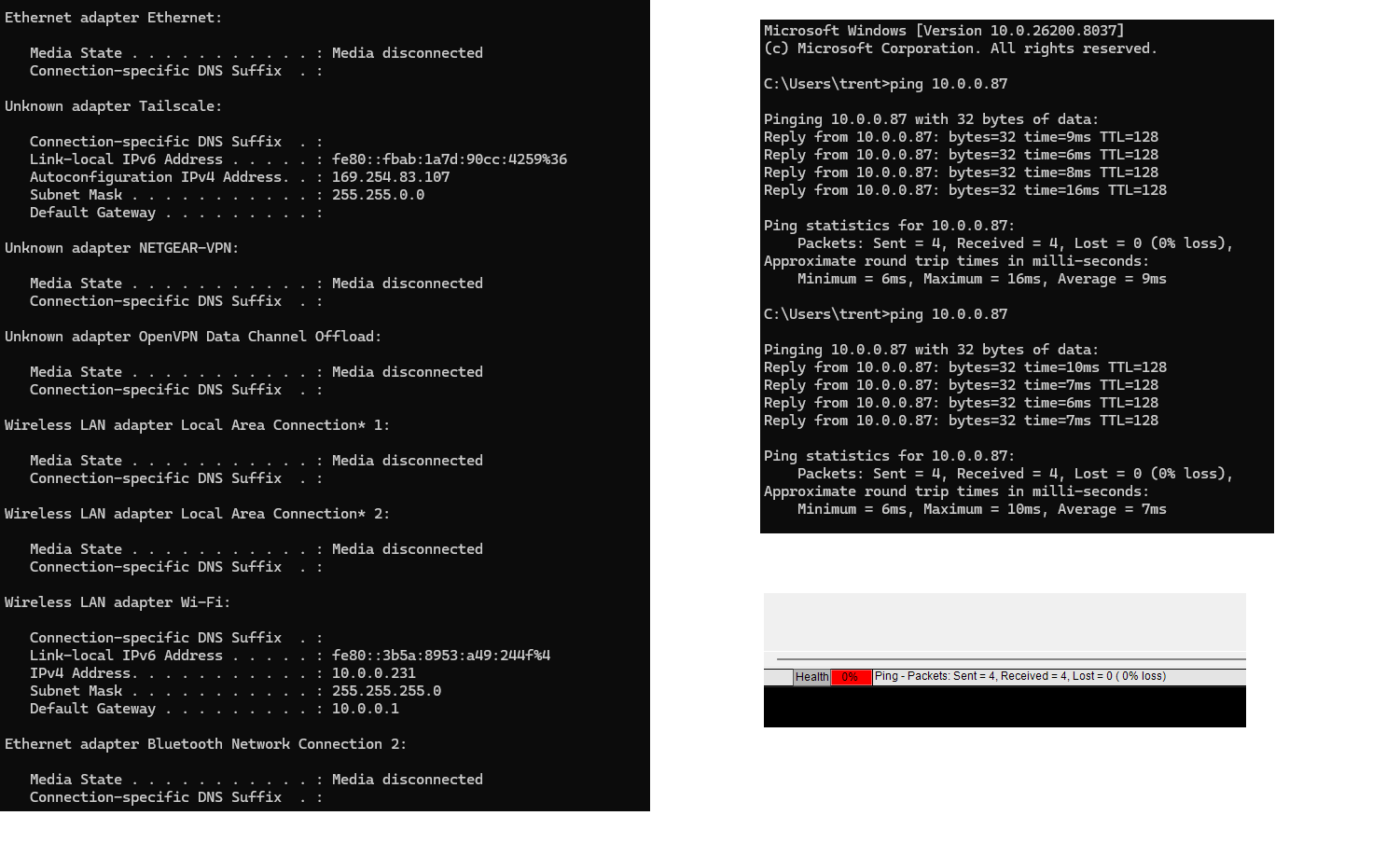
Here are my other network details with ping results. I do run tailscale however, it is turned off in all these scenarios, as it is shown as a unknown nic in ipconifg.
ALl looks good what with the ping and the scan but then the general connection in the top display shows its not connecting. If you have a dumbed down test setup with a non managed swtich that would be a good start. You can even test directly plugged into the T3 from the PC at the last known good IP.
Another test would be to connect over the RS485 and check what you see there in the network settings.
Try disabling other ports on your PC: wifi, tailscale, wifi, any other virtual adapters whcih may be confusing T3000.
Fandu will check and report back here shortly as well.
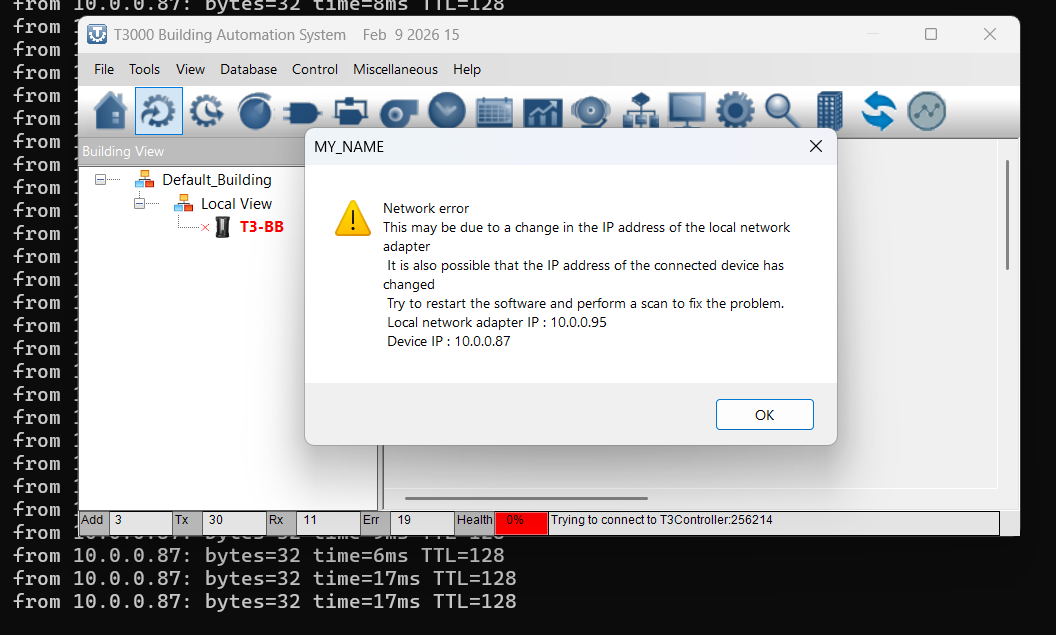
I now cant connect directly either, I disabled all nic except the ethernet port and uninstalled tailscale to just be sure. I had a constant ping going in cmd to the device while trying to connect. Now T3000 is saying no network card is installed, while I can still ping and find the device in T3000. I have reflashed the device as followed in the unbrick topics and started over and it always ends like this. No connection, I am also using two separate computer to make sure it is consistent on both. Which it is.
While direct connected, It takes a couple tries using the ISP tool when in start up sequence, light moving through all I/O, I can reflash. When I do reflash, T3000 finds the controller and tries to change the IP but says that it times out. I then have to change my ethernet nic ip to match the t3. Then I can access the t3, which is where I change the static ip to one on my network with my subnet. After it reboots I can’t every access it again until I repeat the steps above.
I do not have a rs485 yet but I will in the next few days.
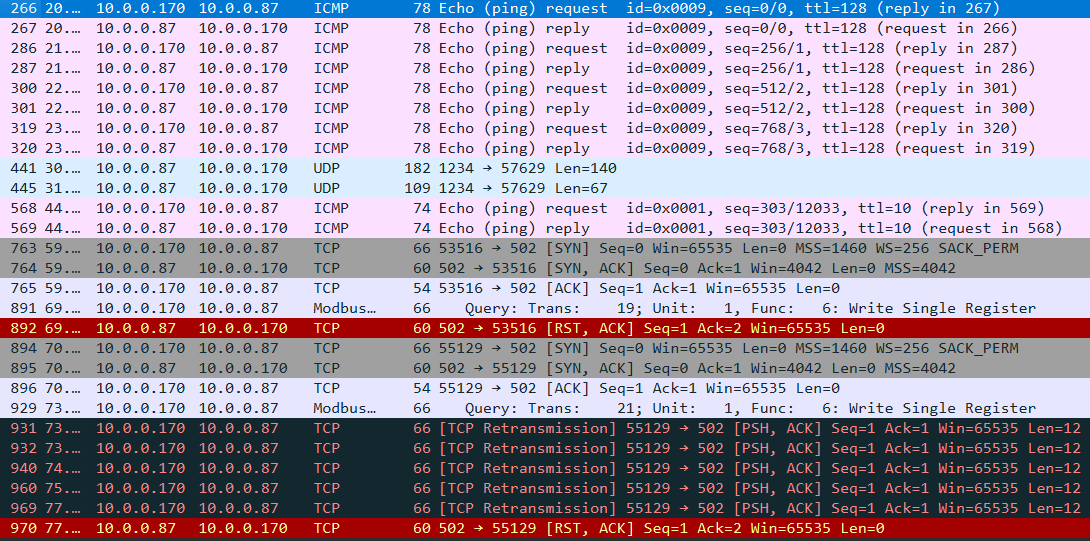
I received my rs485 to usb and connected to the t3, however, connection was bad. I tried to reflash and it would fail. I found a basic unmanaged switch I had and plugged into the t3 and my computer isolated from my network and have the best connection so far. Reflashed to the newest firmware successfully. However, when i plug the switch into my network the same problem happens as before, can ping the device in cmd and in t3000 plus find it but cannot connect. Here is the wireshark shot of me pinging, searching, then clicking on the controller where it errors.
Its odd that the RS485 connection could also not work. I am beginning to suspect the device is in ‘half flashed’ mode without a complete firmware image on board. Is the device operating with a normal heartbeat. As in, after power up the heartbeat LED will blip two times, pause, then two more blips. Repeating. This is the bootup mode where the device is waiting for new firmware.
After that its supposed to go into normal mode, flashing once every second or so. In this mode you could be able to connect over RS485.
If you have a ‘half flashed’ unit it will do the two repeating blips after power up, then probably reset itself shortly afterwards.
The device heart beat is normal. Isnt restarting either. I made a interesting discovery, I cannot communicate with the device if my computer or the device is in the 10.0.0.xxx ip range. To communicate have to go to a different range, like 192.168.0.xxx. Then try to connect and it askes to change ip of device from the 10.0.0.xxx range to the current range my computer is on. Which is successful and I can then communicate. Doesnt matter if I am direct connected, using a switch or on my wifi will t3 is plugged into the network. It all acts the same and wont communicate on any 10.0.0.xxx ranges
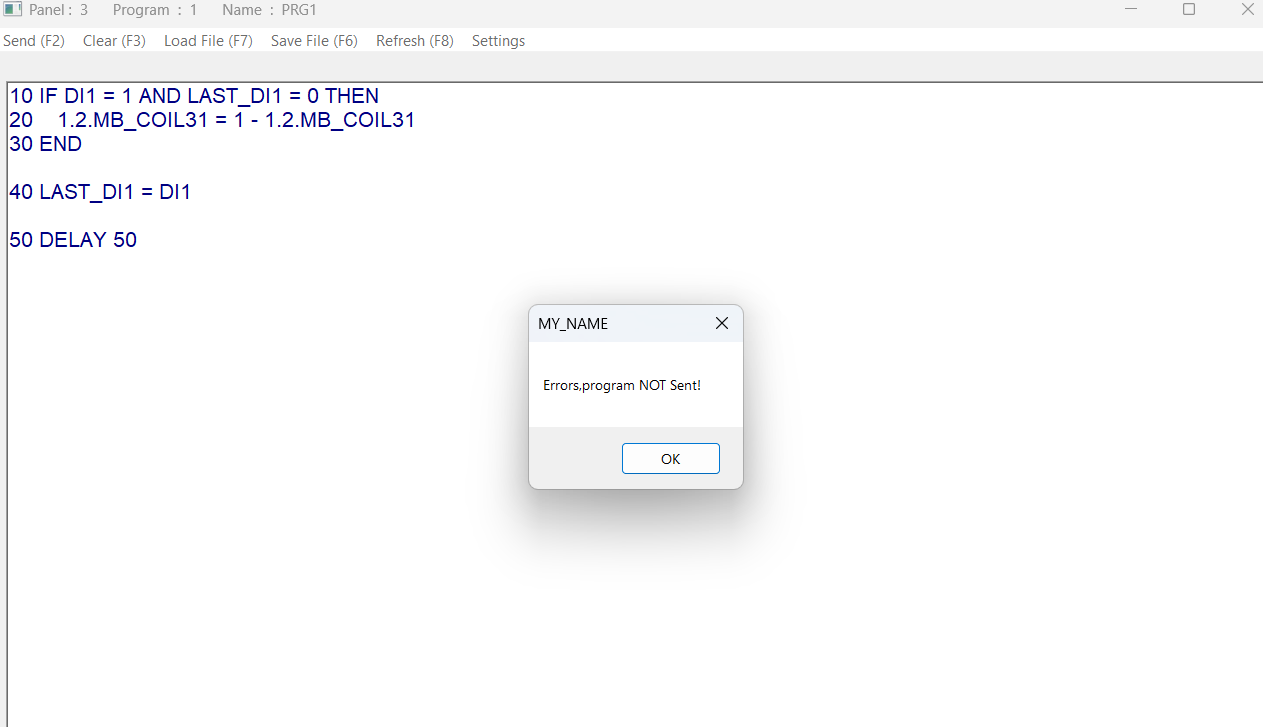
Thank you! I have communication and have some modbus slave devices plugged in for testing. I have control with modbus Poll. I want to start writing logic but It will not let me send programs. Just a simple latching contactor with di1 input and I get this error. I have declared the variable Last_DI1
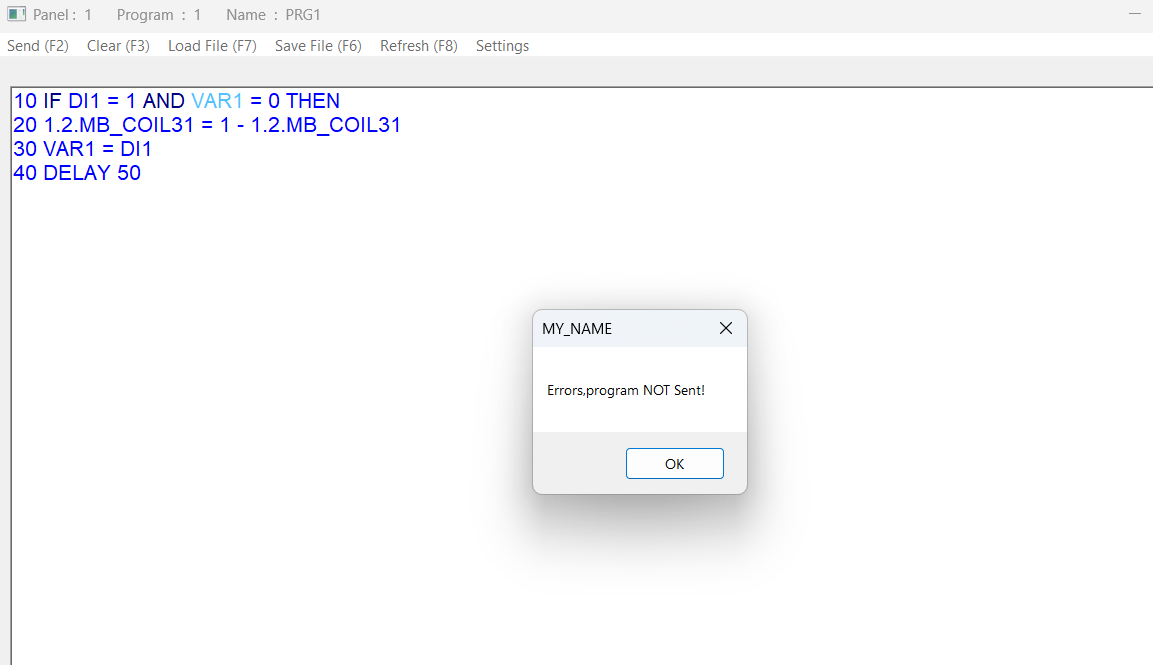
Sorry, I have not used plc type logic before, just bare code java/C/Arduino. I will figure it out eventually! However, no matter what code is placed it still errors.