Search didn’t find anything related to this. My system is up and running, but I have been seeing a nagging issue that is not biting me.
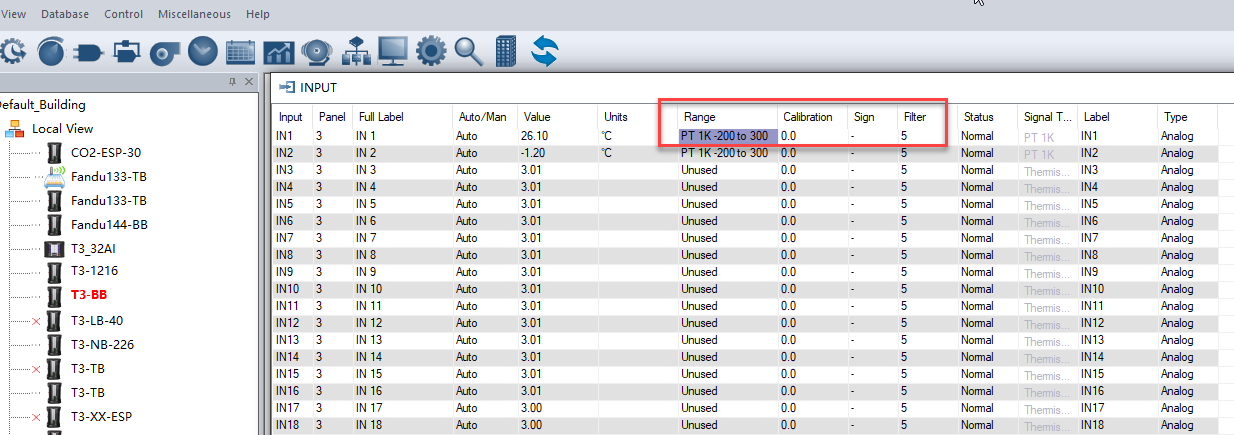
I have B/2 accurate 1KPt RTD sensors wired to my T3-BBs. I am seeing offsets over 2C and reading to reading fluctuation as high as .7C when polled every 30s.
The sensors are suspended in air in small ventilated surface mount boxes with nothing else in them. I used a .2% 4 wire milliohm meter to measure loop resistance, and none of the calibrations are more negative than -.7C.
External measure for the offset is an Omega class A 4 wire Pt RTD. There is no reason to believe there is this level of fluctuation in the air, but the Omega sensor is quite slow.
The lines have the following config:
range: 1K PT
Unit: C
Filter: 5
auto
I am having the same problems on 2 T3-BBs. I have some 1% thermistors on order, and will try switching out a couple and see if they read better.
jerry
Accuracy for 1k Pt sensors wired to the T3-BB and other controllers is not instrument grade but you can for sure calibrate and get rid of the fluctuations.
For the offset that you saw, use the calibration feature, its a single point offset suitable for hvac grade readings.
For the fluctuations, enter a higher value for the filter setting. Higher values will make it smoother at the expense of a slower moving signal.
For B/2 type accuracy, consider the T3-1kPT module. It can accept two, three and four wire sensors and has true instrument grade readings, something like 0.1C accuracy and better.
Note: the team will show a link to the T3-1k Pt module shortly.
You can use the “Calibration” single-point calibration to write a 2°C offset. Additionally, you can set the Filter to 10 or 15 to make the temperature output smoother.
Filter is described in the documentation, hit the F1 help key and search for filter. Its just a smoothing algorithm. Larger value means more readings will be taken and averaged before presenting the ‘value’ in the T3 environment. A smaller filter number means fewer readings are averaged, producing a faster response but jumpier readings as you describe.