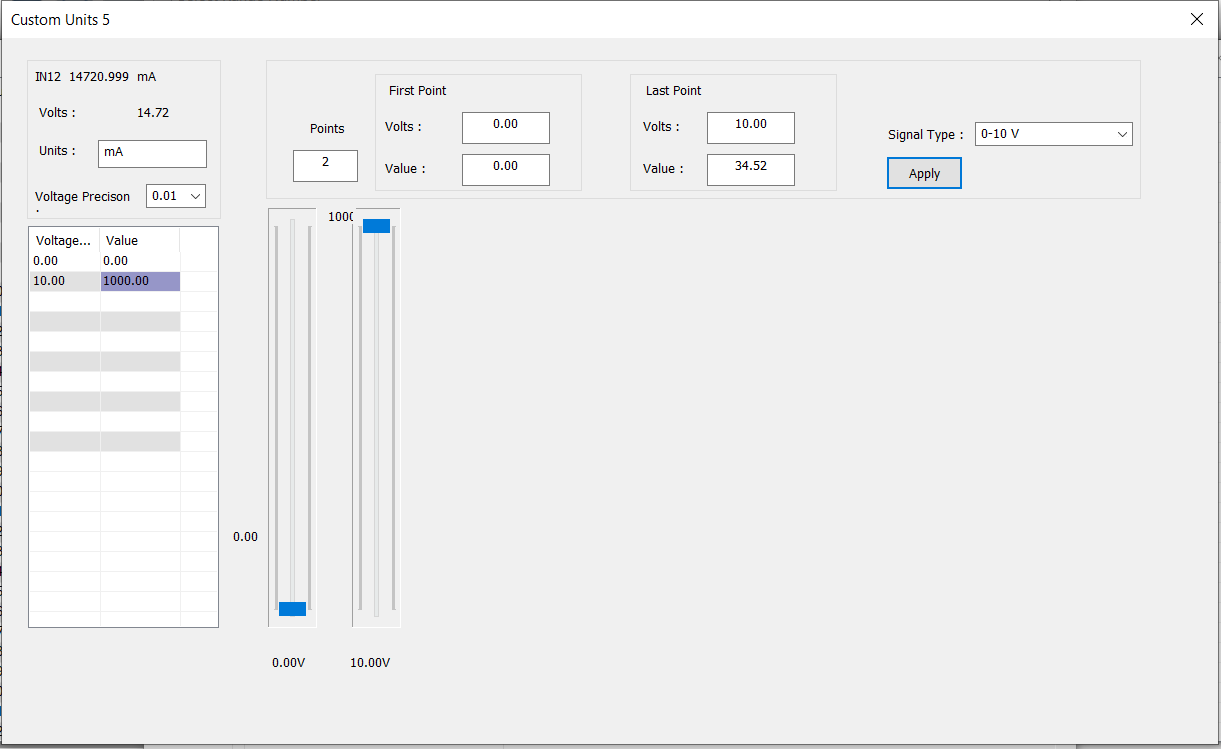
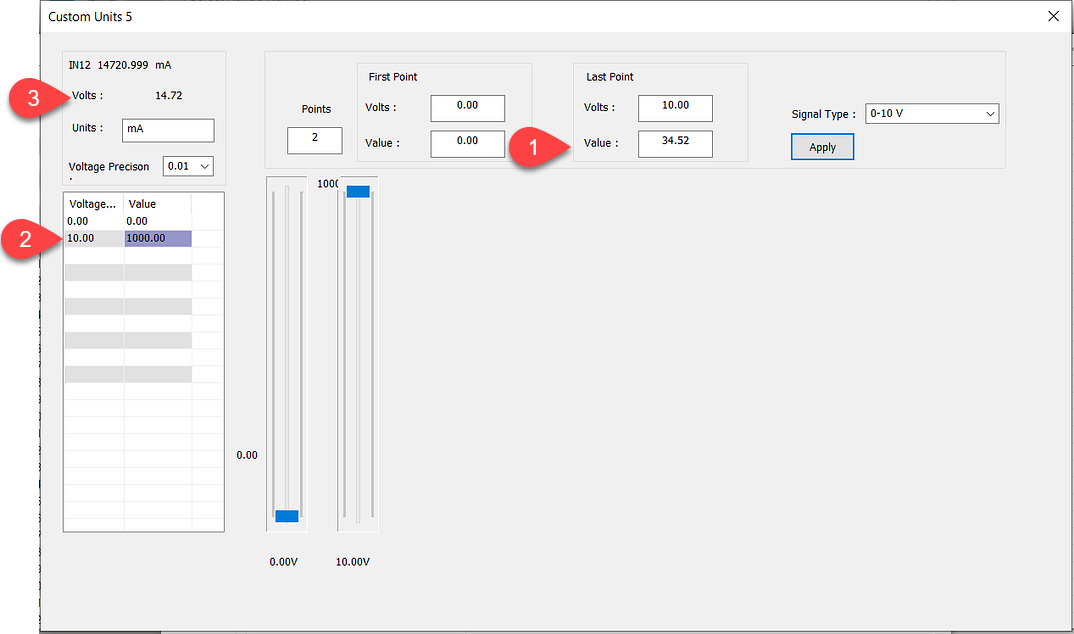
I am using some custom analog ranges - great feature - but quite tricky to use. I have some questions that are not answered in the on-line help.
- if the custom configuration becomes really messed up - how can a custom range be erased/cleared to start again?
- It would be good to know which sequence to make the customisation - which box first, second etc. It is easy to mess-up and there is no way to cancel and start again.
- I am having trouble with the range in screenshot attached. I am trying to configure a current to voltage transducer with the (transducer input) range 0-1000mA = 0-10V (transducer output = PLC input). As you can see from the screenshot, the reported input voltage is 14.72V (actually measured 1.472V) so a 10x factor has been applied before starting the custom range - which then applies a further 1000 factor instead of 100 so ends up with 14,720 mA. The RIGHT answer is 147.2 mA - (1.47V in 10V range means 0.147 x 1000 = 147mA )