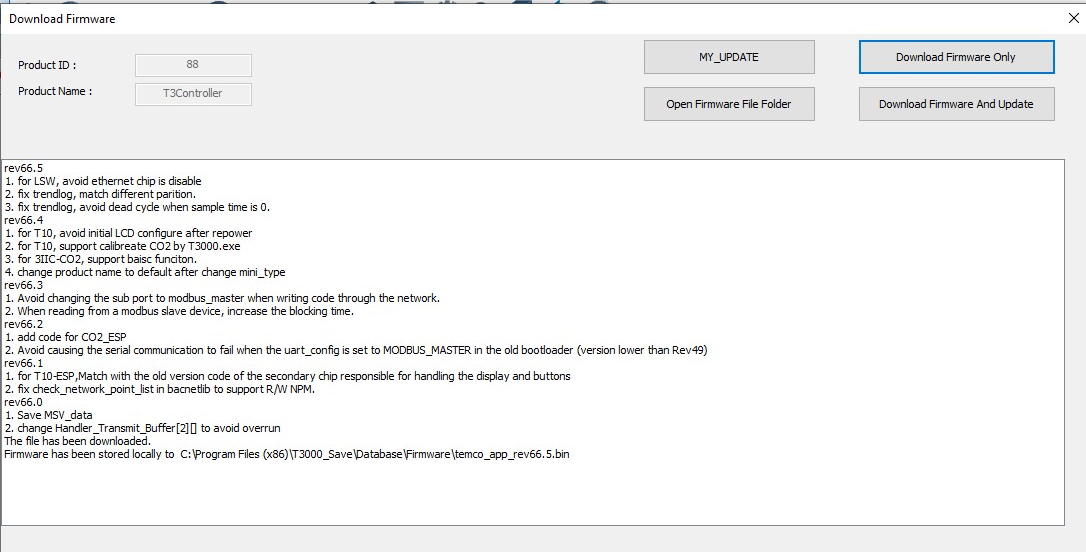
The TB firmware had a problem when I updated a controller about a week ago but a new version has been released to correct it. Maybe try again and see if the T10 was also updated.
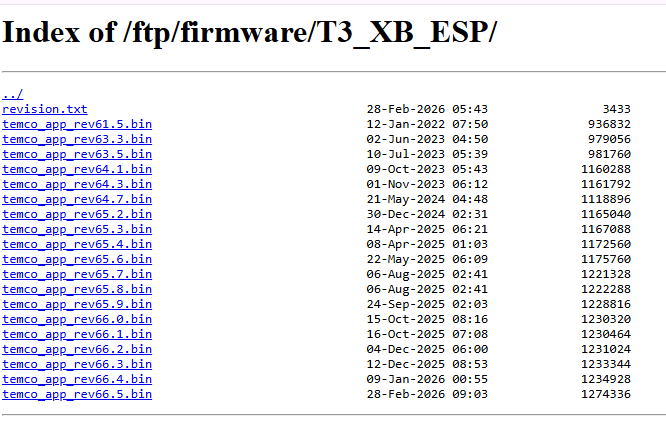
If the firmware automatically downloaded by T3000 uses the naming format Tstat10_arm_rev68.0.hex, it indicates that your device is equipped with an ARM CPU. In this case, loading ESP firmware (e.g., temco_app_rev66.6.bin) will trigger a “firmware incompatible” error.
You may try several more times, including re-downloading the firmware and attempting the firmware update again.
If you still encounter file errors,
please provide a screenshot of the firmware writing failure so that we can further analyze the cause.
At present, we suspect the issue may be that the firmware file was not fully downloaded successfully.
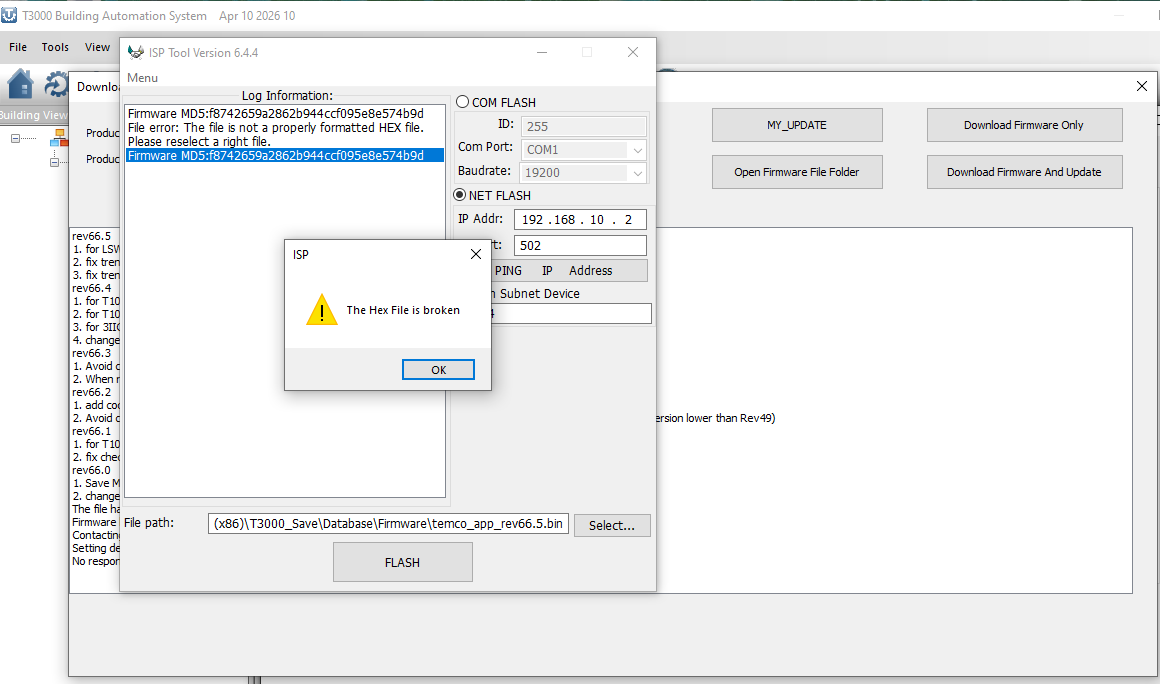
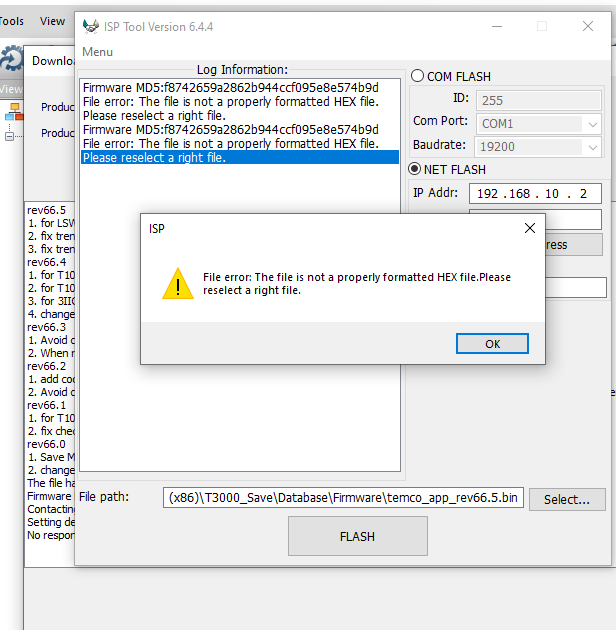
Okay, well, I have tried it about 15 times…but hey, maybe the 16th time will work. The next time that I’m on the project, I will get the screenshot.. However, I wrote down exactly what the screen shot will show you? Two messages…verbatim.
I have conducted extensive testing, and everything works properly on our R&D side. I am eager to identify the exact failure occurring on your end, so we can resolve the issue and deliver a better product experience for all users.
It would be very helpful if you could provide more screenshots of the upgrade failure.
Did you upgrade the firmware via RTU or Wi-Fi?
If using RTU, were you running on the Modbus or BACnet protocol?
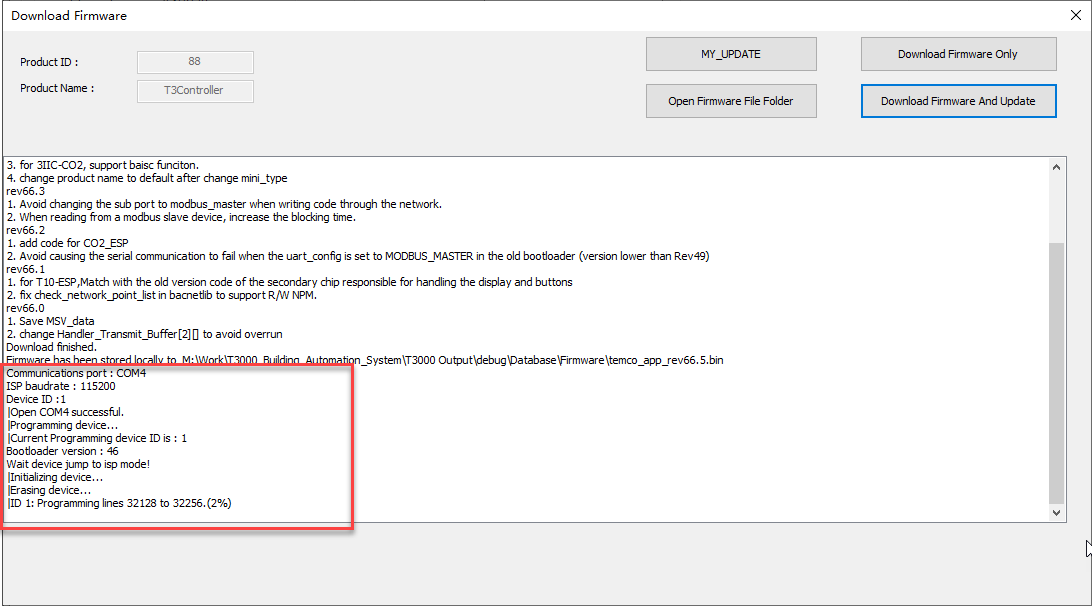
If you are unsure about these details, a screenshot of the error message during the upgrade will also be greatly helpful.
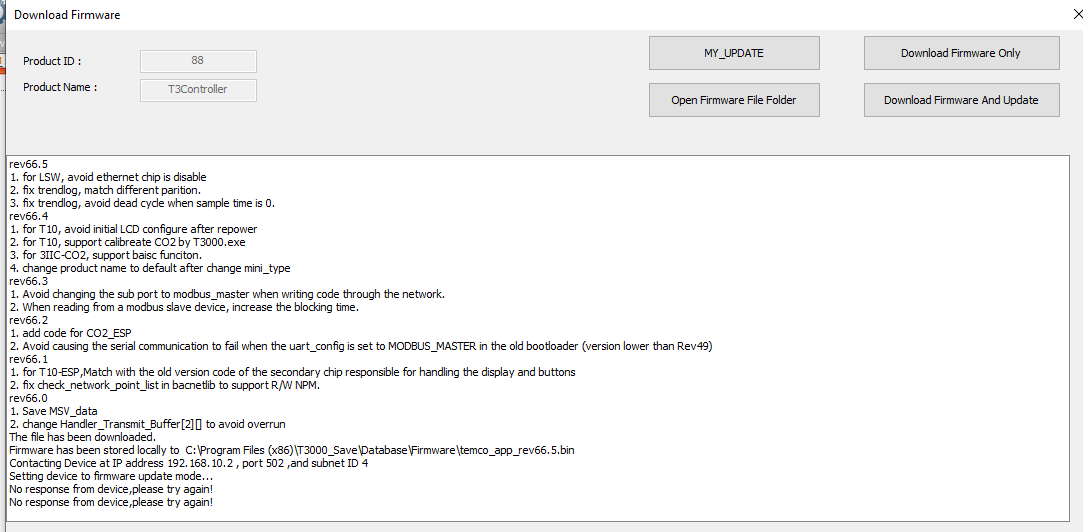
The files are stored on your server as: ‘file.bin’. Not as: 'file.hex
I’m connected to T3-BB via Ethernet.
The T10s are set for Modbus and I can see them and interact with them so the comm’s are working.
I have tried both the ‘Master’ and Sub-Master RS485 ports when trying to update, using a single sensor setup wired within 6’ of the panel. I do each sensor individually. I turn off the WiFi on the router, disconnect the RS485 and then delete the network/Subnet devices.
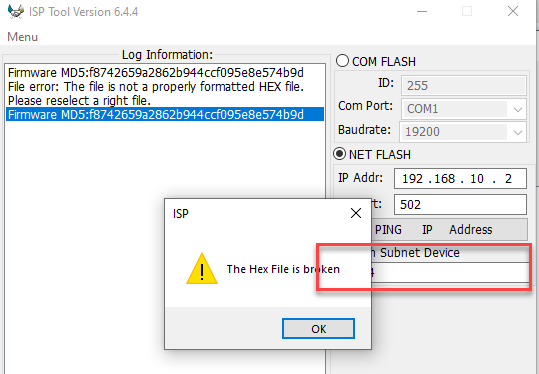
When I let the T3000 perform the download and update, it downloads the ‘file.bin’ format and takes forever to timeout. So I try the manual method and get the bad HEX file error.
I’m going to try a few things today and I will update you if I learn anything.
I didn’t have this problem when I did the initial setup for the (qty of 15) T10s on this project. It was slow as usual but it worked. Now, nothing. I’m going to try a couple of things today and I’ll let you know if I learn anything.
Thanks!
Are you connecting one T3 unit to another via RS485?
Are you attempting to update the firmware of the T3 connected to the RS485 interface?
If you do not need to update the subnode firmware, you may uncheck the option “Flash Subnode by ID”.
If you do need to update the subnode firmware over RS485, please note that this firmware currently does not support RS485-based updates. In this case, it is recommended that you connect the subnode device to an Ethernet network, or directly connect it to a PC via RS485 to complete the firmware upgrade.
The T3-BB is connected via Ethernet to the router. My computer is also connected to the same router.
I’m trying to update the T10 ESP Tstats which are connected via ‘RS485 Modbus’ and Wi-Fi. ( I turn off the T3-BB RS485 ports when the T10s are operating on Wi-Fi. )
When I received the qty of 15 T-10s, I set up each Tstat, one at a time. I wired in one (Tstat-10, base plate) using about 6 feet of cable. (I use the appropriate communication cable) connecting to the RS485 Main or Sub port and 24Vac { grounded secondary }.
No other communication busses are connected while I update each T10, except for the ethernet cable for the T3BB.
My understanding was and my experience is; The T10’s can only be updated via RS485 (Modbus) or using the computer’s serial port tool. Is it different with the ESP T10 Tstats?
When I place the tstats into operation, I use the wireless communication options. Are you saying that I can update the T10s via Wi-Fi? That would be wonderful…
Yes, the ESP T10 supports firmware updates via Wi-Fi.
The reason your T10 cannot be upgraded when connected through the T3-BB is that the current firmware does not support T10-ESP updates forwarded via the T3-BB. This feature will be added in a future firmware release.
We strongly recommend performing firmware updates over Wi-Fi, as the speed is more than 10 times faster than RS485.
Please feel free to contact us if you have any further questions or issues.