Dear Temco Support Team,
We are currently experiencing an Ethernet communication issue between two T3-BB-32i controllers.
System configuration:
- 2 × T3-BB-32i
- Communication between the two controllers via Ethernet
- T3000 is used for configuration and monitoring
Problem description:
When both T3-BB-32i controllers are powered on and connected to T3000, we can successfully configure the controllers and read their points/values. At this time, the two controllers can also communicate with each other normally.
However, after we disconnect the power supply and restart both T3-BB-32i controllers, the two controllers can no longer communicate with each other via Ethernet.
Interestingly, when we connect T3000 to the controllers again after the restart, the communication between the two T3-BB-32i controllers starts working normally again.
The issue can therefore be reproduced as follows:
- Connect two T3-BB-32i controllers via Ethernet.
- Connect T3000 and configure/read points from both controllers.
- Confirm that the two controllers can communicate with each other normally.
- Power off both controllers.
- Power on both controllers again.
- The two controllers can no longer communicate with each other.
- Connect T3000 again and access the controllers.
- After connecting to T3000, the two controllers can communicate with each other normally again.
Could you please help us investigate this issue?
In particular, we would like to know:
- Is there any Ethernet communication setting that needs to be configured to ensure communication between two T3-BB-32i controllers after a power restart?
- Is there any initialization or startup sequence required for Ethernet communication?
- Could this behavior be related to the T3-BB-32i firmware or Ethernet communication module?
- Is there any setting in T3000 that must be saved or downloaded to the controllers to make the Ethernet configuration persistent after power loss?
- Do you have any recommended configuration or procedure for reliable Ethernet communication between two T3-BB-32i controllers?
Please let us know if you need the T3000 configuration files, firmware versions, network settings, or any additional information from our side.
Thank you for your support.
Best regards,
HPLTECH
The devices are well tested and will resume operations normally without human intervention.
Here’s a few things to try:
- If you have the DHCP setting to auto give it a try with manual fixed IP’s. This will rule out DHCP issues on your lan.
- Make sure there’s no IP conflicts with other devices on your lan of course.
- Make sure each device has a unique ‘Panel ID’, its in one of the advanced settings dialogs
- Update the firmware, that’s in the T3000 → help → check for updates.
- Update T3000 itself in the same dialog while you’re at it.
- Try with another dumb hub, not a managed switch.
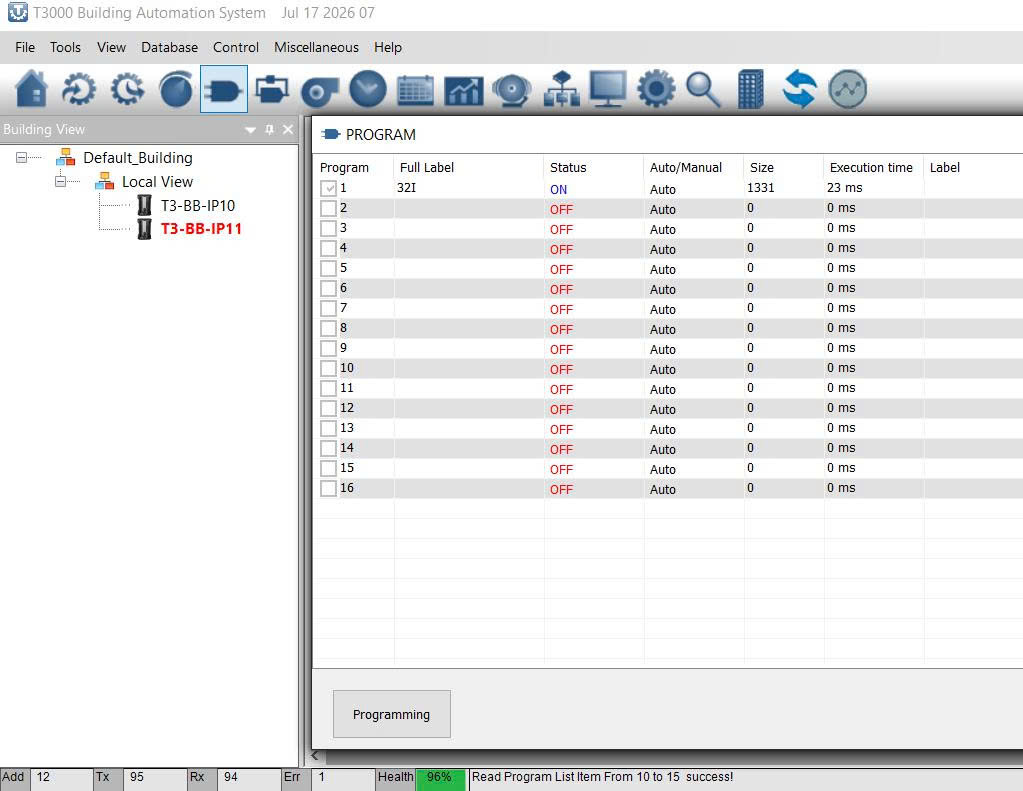
Watch the T3000 status line at the lower left, you can see the communications health there.
Standing by to help.
1 Like
Thank you for your response.
I have checked and ruled out the cases you mentioned, including DHCP/IP configuration, IP conflicts, Panel ID, and the network configuration.
I would like to provide some additional information about our test setup.
We are using a Weintek HMI connected to T3-BB-1 (Panel 10) via BACnet/IP. T3-BB-1 reads values from T3-BB-2 (Panel 11) using the following point structure:
[11.11.Var1]
When the computer/T3000 connection is disconnected, the system continues to communicate normally. However, after we power off and restart the controllers, T3-BB-1 can no longer read the values from T3-BB-2.
Another interesting observation is that when this communication problem occurs after a power restart, there is no Ethernet port LED activity on the controllers.
If we then connect T3000 to the controllers, communication is restored and T3-BB-1 can read the values from T3-BB-2 normally again.
Therefore, the problem seems to be related to the Ethernet/BACnet-IP communication initialization after a power restart, rather than the normal operation of the network.
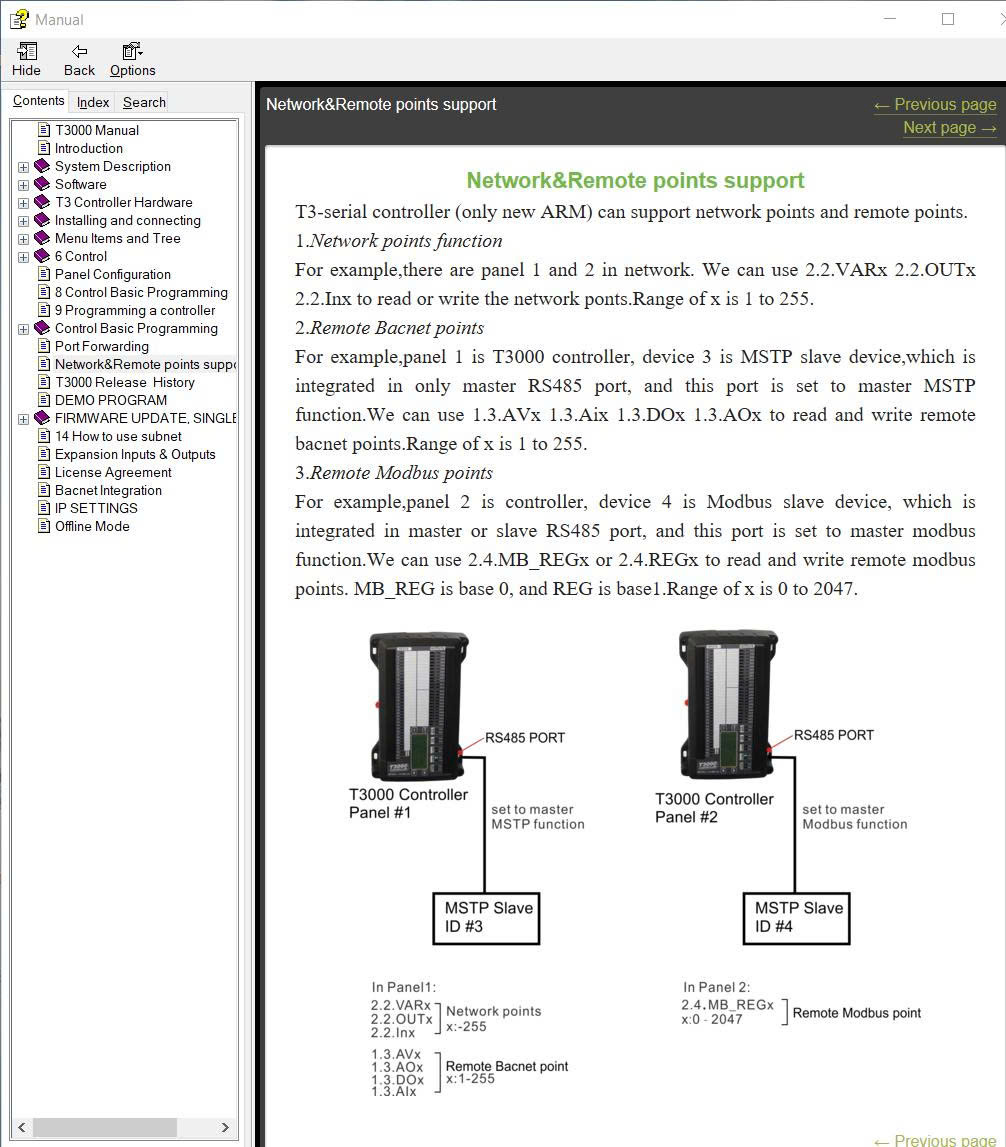
Can you explain why you are using 11.11.var1 notation.
Use the native notation:
VAR1 = 11VAR1
This program runs on panel10 and grabs the var1 data from panel 11.
The Ethernet LED problem sounds like a HUB problem, try with different hubs. Ideally dumb hubs with no settings.
Send a few screen shots of your network settings and the lower left network health status at various stages in your testing. Perhaps we can pick something up from that.
We are currently using a TP-Link TL-SF1005D, which is an unmanaged 5-port 10/100 Mbps Ethernet switch and does not require any configuration.
Interestingly, we found a different behavior depending on how the two T3-BB-32i controllers are connected:
When the two T3-BB-32i controllers are connected through the TP-Link TL-SF1005D, they can communicate and read network points normally.
However, when we connect the Ethernet cable directly between the two T3-BB-32i controllers, they cannot communicate with each other.
The controllers remain powered on and continue operating normally; the problem is only with the communication between them.
To verify the communication status, I used a simple program with OUT1 as an indicator of the received value/status. This allows us to clearly determine whether the network value from the other controller is being received or not.
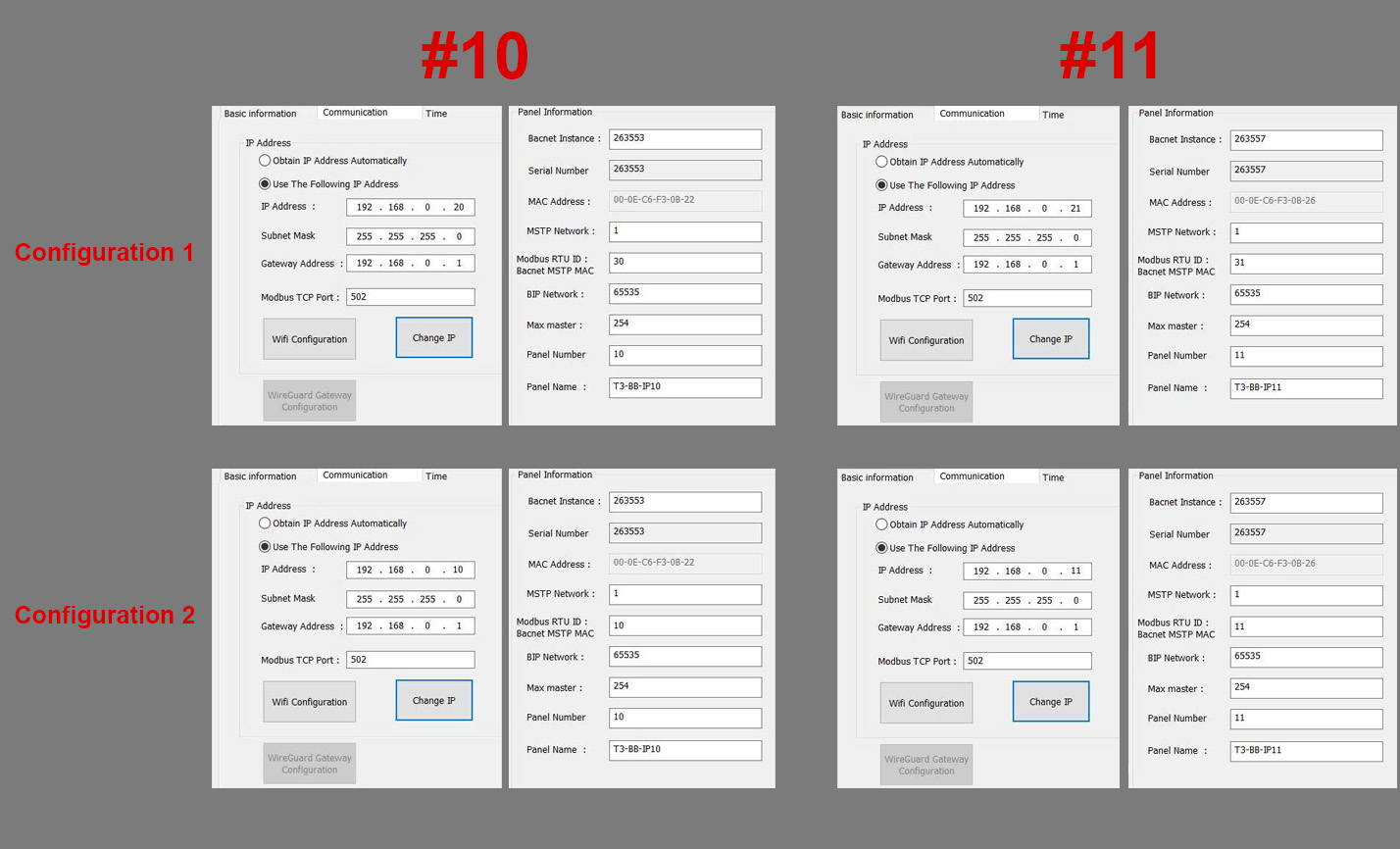
Our current configuration is:
T3-BB-1 – Panel ID 10
T3-BB-2 – Panel ID 11
Weintek HMI communicates with T3-BB-1 via BACnet/IP.
T3-BB-1 reads values from T3-BB-2.
For the network point addressing, I also tested both of the following methods:
VAR1 = 11VAR1
and
VAR1 = 11.11.VAR1
Both methods work correctly when the Ethernet communication is established.
Perhaps I need to use Modbus TCP/IP to read the values while we investigate the root cause. What is the syntax for reading values via Modbus TCP/IP?
Attached are screenshots of the two configurations. Both configurations exhibit the same issue.
When you connect the two controllers together with a single cable, no hub in between, you would need a crossover cable to get them talking, but this is a strange configuration becuase you wont be able to get at them from your PC.
I suggest you always use a hub so your PC can join them on the lan.